
Quick answer
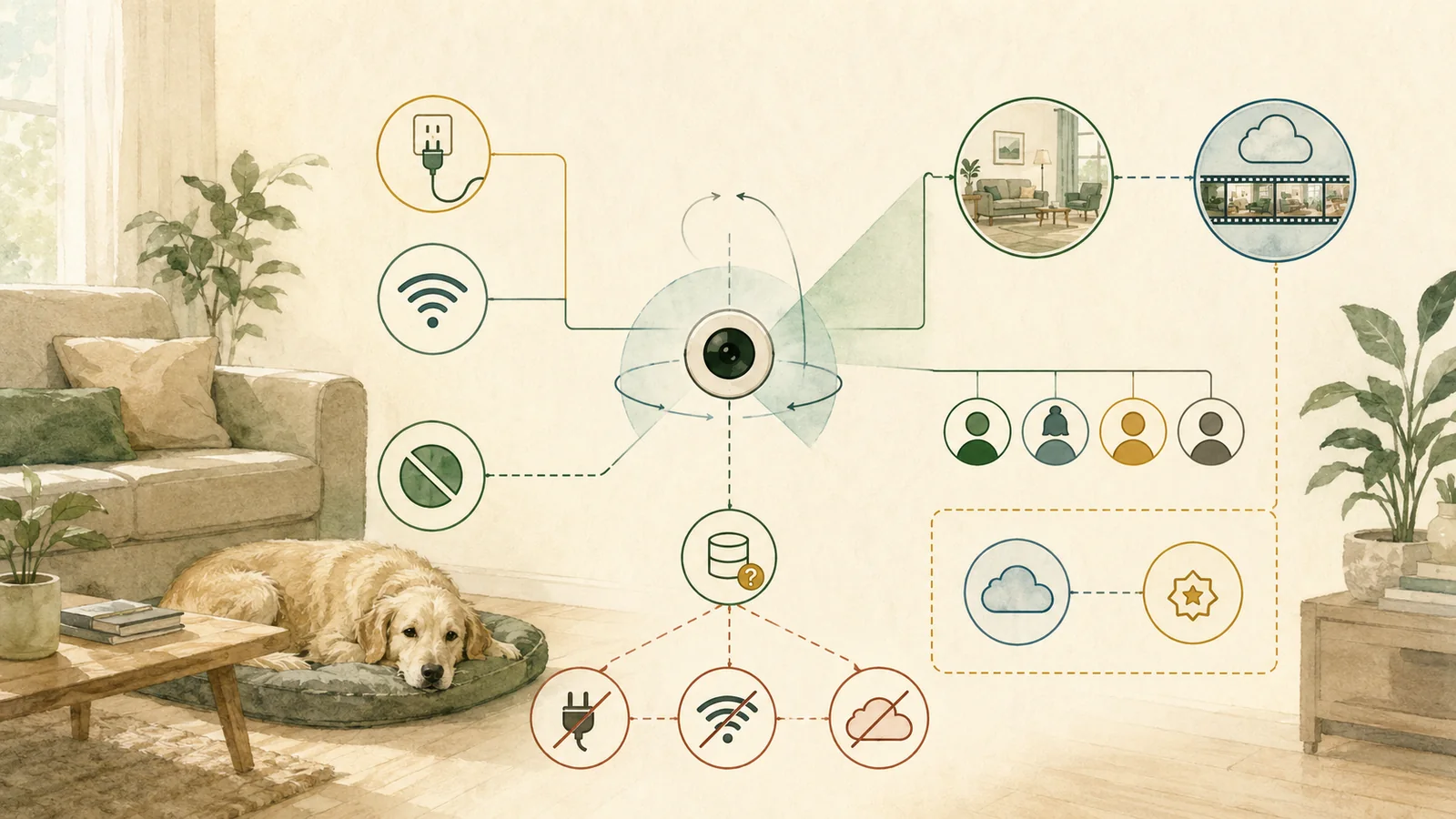
Petcube Cam 360 is a plausible documentation-level fit for a household that wants an indoor, continuously powered, 2.4 GHz Wi-Fi camera with mobile live view, pan and tilt, two-way audio, separate household accounts, and an app-controlled privacy mode. It is not a match when the household requires a treat dispenser, laser, local continuous or microSD recording, desktop live camera control, no cloud/account processing, or a paid-history feature without accepting a subscription.
The hardware’s regular displayed baseline is USD 52.99; on September 23, 2026, both official product pages displayed a temporary USD 34.99 amount, which is volatile and not a checkout quote. Petcube Care is optional: Basic includes live view without Care history, while Optimal or Premium add different history, alert, download, warranty, and multi-camera terms; verify the exact product, plan, trial, shipping, tax, and renewal at checkout.
This is a Product Analysis, not a Review; the product was not installed or tested.
Key facts
The summary uses the exact Petcube Cam 360 product record, current Petcube Care plan table, household-sharing guidance, and support-period record. Selected price fields were rechecked September 23, 2026; other records retain their listed source dates.
Swipe horizontally to see all columns.
| Field | Current documentation | Decision limit |
|---|---|---|
| Exact model | Petcube Cam 360 | Do not inherit fields from Petcube Cam, Play, Bites, or future revisions. |
| Hardware price display | USD 52.99 regular; USD 34.99 temporary (September 23, 2026) | Promotion is volatile; shipping, tax, and checkout remain unknown. |
| Viewing | 1080p, 105° view, 350° horizontal and 55° vertical movement, 8× digital zoom | No image, bitrate, movement, noise, blind-spot, or latency measurement. |
| Network and power | 2.4 GHz Wi-Fi, continuous outlet, about 2 Mbps upload recommended | No router, congestion, outage, or recovery test. |
| Free path | Basic: live video; no Care history or classified Smart Alerts | Generic sound/motion push notifications are not the same as retained Care events. |
| Paid plans | Optimal: 3-day history, per camera; Premium: 90-day history, account-wide | Prices, trial, renewal, and current eligibility are volatile. |
| Sharing | Separate Family and Friend accounts with different access and revocation | No household role or revocation workflow was tested. |
| Privacy mode | App-controlled closed-lens or camera-off mode | Presence does not prove the actual recording state or household behavior. |
| Support life | Current vendor policy names Cam 360 updates through December 31, 2028 | Not a United States-specific legal guarantee or promise beyond that date. |
The strongest documented distinction is not “subscription or no subscription.” It is which monitoring, history, alert, sharing, privacy, and failure requirements the household actually needs.
Who it may fit-and who should avoid it
The current documents position Cam 360 as an indoor connected camera, not a self-contained recorder or autonomous care system. Start with the household job and reject obvious mismatches before comparing smaller features.
If the household has not yet chosen a camera architecture, start with the pet camera buyer’s guide before judging this exact product.
Swipe horizontally to see all columns.
| Household scenario | Documentation-level disposition | Why |
|---|---|---|
| Mobile live view, pan/tilt, audio, and optional cloud history | Conditional fit | The required architecture is documented; the delivered product and network still need testing. |
| Multiple household members need separate accounts | Conditional fit | Family/Friend roles and revocation are documented, but current permissions must be tested. |
| The household wants a visible camera-off control | Conditional fit | Privacy mode is documented; verify its state, app behavior, and household expectations. |
| No paid subscription, only live viewing | Conditional fit | Basic is documented as free, but does not include Care history or classified Smart Alerts. |
| Local continuous or microSD recording is mandatory | Avoid | No exact local continuous or microSD recording capability was established. |
| Treat tossing or a laser is mandatory | Avoid | Cam 360 has no documented treat dispenser and explicitly has no laser. |
| Desktop live control is mandatory | Avoid | Camera control is documented through mobile apps; Care browser history is different. |
| No cloud, account, internet, or continuous power is acceptable | Avoid | The documented workflow depends on those layers. |
| The buyer needs a security certification or tested privacy verdict | Avoid this evidence level | This package reviewed public documentation; it did not audit the product. |
A conditional fit means “no obvious documentation conflict.” It does not mean the camera is recommended or proven reliable for the household.
Hardware and setup requirements are ordinary but non-negotiable
Petcube lists Cam 360 at 94 × 66 × 118 mm and 0.285 kg. The box is documented with the camera, a six-foot USB cable, power adapter, mounting brackets and screws, tape, and a quick-start guide. These are vendor fields, not measurements of the delivered package.
Setup uses the Petcube mobile app and a QR code displayed on the phone for the camera to scan. The exact product page lists iOS 14 or later and Android 7.1.2 or later. An older Cam 360 setup record says iOS 11 or later, so this analysis uses the stricter exact-product iOS 14 requirement.
Swipe horizontally to see all columns.
| Requirement | Documented field | Verify before relying on it |
|---|---|---|
| Wi-Fi | 2.4 GHz | The intended SSID, password, router/mesh behavior, placement, and signal at the camera. |
| Upload | About 2 Mbps recommended | Actual upload under household load; do not treat the minimum as a quality guarantee. |
| Power | Continuous outlet and supplied adapter/cable workflow | Cable route, outlet stability, restart behavior, and household outage plan. |
| Phone | iOS 14+ or Android 7.1.2+ on the exact product page | Current app-store availability, permissions, notifications, and account recovery. |
| Onboarding | App and QR-code setup | QR scan, network connection, firmware/update state, and re-setup after network changes. |
| Placement | Table/shelf or documented mounting hardware | Field of view, blind spots, cable access, stability, reflections, privacy, and pet access. |
Setup compatibility is a gate, not a performance result: verify the exact phone, network, outlet, placement, and delivered package.
Viewing and audio are documented; performance is not
The current product page lists a 105° lens, 350° horizontal movement, 55° vertical movement, 1080p HD video, 8× digital zoom, night vision up to 30 feet, and two-way full-duplex audio. These fields explain the intended architecture, but they do not establish image detail, compression, bitrate, low-light clarity, motor noise, movement speed, microphone pickup, speaker quality, or end-to-end delay.
Cam 360 explicitly has no laser function. No treat-dispensing function is documented for this exact model. Do not inherit those features from Petcube Play or Bites products.
The current support record says camera control is available through mobile apps. Petcube Care separately offers browser access to recorded history, filtering, and downloads. That browser feature is useful, but it is not evidence of full desktop live camera control.
Basic, Optimal, and Premium change the monitoring job
Petcube says the camera can work without a paid Care subscription. Basic supports live video, but the current plan table does not include Care video history, classified Smart Alerts, browser history, downloads, filters, or Daily Diary videos.
Do not confuse generic motion/sound push notifications described in support material with classified Care alerts and retained event clips. A notification without history may tell the owner that something happened without preserving the event for later review.
Swipe horizontally to see all columns.
| Plan | Current billing | History and alerts | Scaling | Important boundary |
|---|---|---|---|---|
| Basic | Free | Live video; no Care history or classified Smart Alerts | Included with each camera | Generic push notifications are not retained classified events. |
| Optimal annual | USD 59.88 | 3 days; 30-second clips; Smart Alerts; 10 downloads; browser history | Per camera | One plan is needed for each camera that needs Optimal history. |
| Optimal monthly | USD 9.99/month | Same documented Optimal tier | Per camera | Twelve payments are USD 119.88 before tax; not prepaid annual billing. |
| Premium annual | USD 143.88 | 90 days; Smart Alerts; unlimited downloads; browser history | Account-wide for connected cameras | Plan changes can affect all covered cameras. |
| Premium monthly | USD 16.99/month | Same documented Premium tier | Account-wide | Twelve payments are USD 203.88 before tax. |
Select the monitoring job first, then choose the lowest plan tier that documents every required history, alert, download, and camera-scaling feature.
Petcube currently advertises a 14-day Care trial. Its terms say trial billing can begin after the trial unless the user cancels. Confirm the selected plan, payment method, trial end, renewal date, and cancellation path before activation.
Known first-year cost starts with the regular price, not the promotion
On September 23, 2026, both the exact store page and the Cam 360 marketing page displayed USD 52.99 regular and USD 34.99 temporary. Earlier September 15 page snapshots showed different temporary amounts, but that route variation was not reproduced in this check. This analysis freezes USD 52.99 only as the regular hardware baseline; the temporary display is not a checkout quote.
Use the pet camera pricing and ownership-cost guide to place these product-specific figures inside the wider hardware, service, storage, accessory, replacement, and unknown-cost framework.
Swipe horizontally to see all columns.
| Scenario | Known hardware | Known plan | Known first-year commitment | Still unknown |
|---|---|---|---|---|
| 1 camera + Basic | USD 52.99 | USD 0 | USD 52.99 | Shipping, tax, checkout, future costs |
| 1 camera + Optimal annual | USD 52.99 | USD 59.88 | USD 112.87 | Shipping, tax, renewal |
| 1 camera + Optimal monthly × 12 | USD 52.99 | USD 119.88 | USD 172.87 | Shipping, tax, renewal; monthly timing remains monthly |
| 1 camera + Premium annual | USD 52.99 | USD 143.88 | USD 196.87 | Shipping, tax, renewal |
| 2 cameras + Optimal annual | USD 105.98 | USD 119.76 | USD 225.74 | Shipping, tax, renewal |
| 2 cameras + Premium annual | USD 105.98 | USD 143.88 | USD 249.86 | Shipping, tax, renewal |
These are known commitments, not checkout totals or savings claims. A required unknown stays unknown; it never becomes zero.
Privacy depends on the lens state, account roles, policy, and household practice
The camera documents an app-controlled privacy mode that closes or blocks the lens. Sharing uses separate recipient accounts. Family members can receive broad control, including settings and Care history; Friend access can be scheduled with selected permissions; the owner can remove users.
Swipe horizontally to see all columns.
| Control | Current documentation | Household verification |
|---|---|---|
| Owner account | One owner registration per camera | Use a unique password and verify recovery paths. |
| Family | Almost full control, including settings and history | Grant only when broad access is needed. |
| Friend | Scheduled access and selected permissions | Test the exact current schedule and controls. |
| Revocation | Users can be deleted or unfriended | Remove a test recipient and verify access actually stops. |
| Privacy mode | App-controlled closed-lens/camera-off mode | Verify lens position, live view, notifications, history, and all household phones. |
| Call alert | Audible sound at the start of a call, subject to settings | Confirm whether people nearby can hear it and whether it remains enabled. |
| Public policy | Version 2.4, effective September 17, 2021 | Read the current policy; its age limits current assurance. |
Documented controls still require household verification, especially role scope, revocation, lens state, history behavior, and policy freshness.
The policy describes collection, use, sharing, storage, rights, and user content, but its age and superseded Privacy Shield language are material limitations. The existence of a privacy policy or privacy mode is not proof that implementation, retention, or every current practice matches the reader’s expectations.
Use the pet-camera household account security workflow to turn those documentation checks into an owner, recovery, sharing, privacy-state, incident, retention, and offboarding plan.
Security documentation creates questions, not a security verdict
Petcube publishes statements about TLS, 128-bit encryption, signed updates, audits, and monitoring. It also provides a vulnerability disclosure route and currently names Cam 360 security updates through December 31, 2028.
Those records are useful, but they were not independently tested. The support date is not presented here as a United States-specific legal guarantee or a promise of support beyond 2028. Current public Cam 360-specific multi-factor authentication documentation was not established in the bounded source set; that means only “not found,” not “the product has no MFA.”
NIST frames consumer-IoT cybersecurity across the entire product-including device, app, account, cloud, and related services. The FTC advises camera buyers to review updates, strong unique passwords, MFA where available, encryption, router security, remote access, and sharing. Apply those questions to the complete Petcube workflow.
Ordinary failure modes matter more than feature labels
A connected camera is a chain. Live view, alerts, history, privacy mode, and sharing can fail differently when any link is missing or misconfigured.
- Power: outlet, adapter, cable, or restart failure.
- Wi-Fi: 5 GHz-only network, hidden SSID, changed credentials, weak placement, congestion, mesh behavior, or router update.
- Internet and cloud: provider outage, service interruption, or account/authentication problem.
- Phone and app: unsupported OS, notification permission, background behavior, stale app, or failed recovery.
- History: Basic selected, Care asleep, plan expired, event not classified, or retention window passed.
- Sharing: too much Family access, stale user, schedule mismatch, or incomplete revocation.
- Privacy: lens state, app state, household assumption, or history state not aligned.
- Physical placement: blind spots, reflections, unstable mount, reachable cable, motor noise, or pet interference.
Petcube’s offline guidance describes power, 2.4 GHz Wi-Fi, network changes, weak signal, and re-setup checks. These are troubleshooting categories, not a promised fix.
Test the complete workflow during the return window
Do not wait for an important absence to discover which link fails. Use a low-stakes first-week protocol and record the result.
Swipe horizontally to see all columns.
| Check | Controlled test | Failure signal |
|---|---|---|
| Setup | Install with the intended phone, SSID, router, outlet, and placement. | QR scan, account, firmware, or network failure. |
| Live view and movement | Check expected rooms, blind spots, pan/tilt limits, night view, audio, and motor noise. | Unusable image/audio, missed area, unacceptable noise, or unstable placement. |
| Notifications | Create harmless movement and sound events with the phone on home Wi-Fi and cellular data. | Missing, late, excessive, or unclear notification. |
| Selected Care plan | Confirm history window, clip, filters, download, browser access, and trial/renewal. | Expected history or account scaling absent. |
| Sharing | Add a test Family/Friend user, exercise permissions and schedule, then revoke. | Access exceeds intent or remains after removal. |
| Privacy mode | Enable and disable it from every authorized household phone; inspect live view and history state. | Lens, app, stream, notification, or history state differs from expectation. |
| Outage | Briefly disconnect internet and power in a controlled setting, then restore. | Camera fails to reconnect or leaves unclear state. |
| Return path | Save order, seller, serial, packaging, accessories, deadline, and RMA instructions. | The household cannot complete a return if the workflow fails. |
A successful test documents only that setup under those conditions. It does not guarantee future availability, alert accuracy, or behavior on another network or app version.
Cancellation, device deletion, transfer, and data retention are separate
Petcube’s current cancellation record says cancellation stops Care renewal and does not refund money already paid. Its terms say unpairing a product does not cancel a subscription.
Deleting or disconnecting the camera removes the device relationship from the app. Transferring it to another owner account requires removing it from the current account. A factory reset clears device configuration under the current decommissioning instructions. None of those actions alone proves that the account is deleted, the subscription is canceled, or every cloud record is erased.
The privacy policy says some information and user content may remain for a commercially reasonable time after deactivation. Before selling, gifting, returning, or retiring the camera, document the exact subscription, device, account, reset, sharing, history, and data-request steps.
Returns and warranty depend on seller, timing, condition, and plan
For qualifying purchases through Petcube or official resellers, the current policy describes a 45-calendar-day return-request window. It requires an RMA, good physical condition, included accessories, and original packaging. Shipping, handling, gift wrap, and taxes are not refundable; the buyer prepays return shipping and assumes transit risk.
The United States/Canada limited hardware warranty is one year for the original end user under stated conditions. Premium separately advertises a two-year device-warranty benefit. Verify whether the selected seller, plan, activation date, proof of purchase, and claim type qualify.
No return, repair, replacement, refund, warranty, or support case was opened for this analysis.
Another camera architecture fits better when the hard requirement changes
- Choose a camera with established local storage when continuous microSD or local recording is mandatory.
- Choose a pet-specific treat camera when remote dispensing is a real requirement and its safety, food, cleaning, jam, and household controls have been evaluated.
- Choose a general indoor camera with the required storage, account, privacy, and support model when pet-specific alerts do not add enough documented value.
- Use a non-camera workflow when video inside the home creates unacceptable privacy or household-access risk.
- Use in-person care, a sitter, or another operational layer when the job requires physical intervention. A camera cannot provide water, move hazards, open a door, administer care, or guarantee a response.
Before replacing pet-specific features with a general indoor camera workflow, compare the documented trade-offs in the pet camera versus indoor security camera comparison.
This page does not rank alternatives. Exact product comparisons require evidence parity and current product-specific records. For the approved same-market comparison, see Petcube Cam 360 versus Furbo 360° Dog Camera.
What we could not verify
- final shipping, sales tax, checkout, promotion, trial enrollment, payment, and future renewal;
- delivered hardware revision and Motion Zones eligibility;
- current app screens, permissions, MFA, and account-recovery behavior;
- image and audio quality, bitrate, pan/tilt speed or noise, blind spots, and latency;
- alert classification accuracy, false alerts, missed events, and phone-delivery timing;
- Wi-Fi range, outage recovery, cloud availability, and long-term reliability;
- privacy-mode recording state, role permissions, scheduled access, and revocation behavior;
- complete account/data deletion and backend retention after each workflow;
- support, return, warranty, repair, replacement, and refund outcomes;
- future support beyond December 31, 2028;
- pet reaction, welfare, safety, medical, behavioral, or care outcomes.
We also could not support claims that Cam 360 is best, safest, private, secure, reliable, accurate, guaranteed, veterinarian approved, clinically useful, or a substitute for in-person care.
Method
We reviewed current official Petcube product, plan, policy, support, return, warranty, and vulnerability records, plus NIST and FTC consumer-IoT guidance. Sources were checked on July 25, 2026. The complete editorial approach is described on How We Research and Evaluate Pet Technology.
A versioned non-ranking method screens declared household requirements against the frozen documentation. It checks exact model scope, market, indoor use, Wi-Fi, power, upload, phone/account/cloud acceptance, plan history, Smart Alerts, feature exclusions, household access, privacy requirements, strict policy/MFA/support requirements, known budget, and post-delivery tests.
The retained validation suite includes 18 regression cases, 18 rejected invalid inputs, and 500 deterministic property cases, plus schema, repeatability, input-order, cost-recomputation, hard-gate, unknown-value, and non-ranking checks. Synthetic fixtures test the method only; they are not camera observations.
Final decision by scenario
Consider it conditionally when the household wants mobile live view, pan/tilt, audio, separate household accounts, privacy mode, and either Basic live monitoring or a clearly selected Care plan-and can test the complete workflow inside the return window.
Avoid it for this requirement set when local continuous storage, treat tossing, a laser, desktop live control, no cloud/account processing, no continuous power, no 2.4 GHz Wi-Fi, or a public security/privacy assurance beyond the reviewed documentation is mandatory.
Do not buy on the promotion alone. The USD 34.99 temporary display is date-bound, not a checkout quote. Compare the regular hardware baseline, plan scaling, shipping, tax, trial conversion, renewal, return cost, and the cost of any second camera that the household actually needs.
The most important unresolved question is not whether the feature list looks complete. It is whether the delivered product, current app, household roles, privacy state, network, notifications, history, and outage recovery work under the exact conditions in which the household will rely on them.
Sources
Direct records checked July 25, 2026. Petcube statements support only Petcube’s documented products, plans, policies, and workflows; they are not independent performance tests.
- National Institute of Standards and Technology – NIST IR 8425: Profile of the IoT Core Baseline for Consumer IoT Products (checked July 25, 2026)
- Federal Trade Commission – How To Secure Your Home Security Cameras (checked July 25, 2026)
- Petcube – Petcube Cam 360 product page (price fields checked September 23, 2026; feature fields retain their recorded source dates)
- Petcube – Petcube Cam 360 marketing page (price fields checked September 23, 2026; feature fields retain their recorded source dates)
- Petcube – Petcube Store (checked July 25, 2026)
- Petcube – Petcube Care plans (price fields checked September 23, 2026; feature fields retain their recorded source dates)
- Petcube – What is Petcube Care Membership (checked July 25, 2026)
- Petcube – Multi-camera support on Premium Petcube Care plan (checked July 25, 2026)
- Petcube – How to view your video history in Petcube Care (checked July 25, 2026)
- Petcube – How to save a video recording to phone storage (checked July 25, 2026)
- Petcube – Petcube Terms and Conditions of Use (checked July 25, 2026)
- Petcube – How do I cancel my Petcube Care subscription (checked July 25, 2026)
- Petcube – Petcube Privacy Policy (checked July 25, 2026)
- Petcube – What level of security does Petcube provide (checked July 25, 2026)
- Petcube – Support period and vulnerability disclosure policy (checked July 25, 2026)
- Petcube – Sharing access to your Petcube camera (checked July 25, 2026)
- Petcube – Sound alert at the start of a call (checked July 25, 2026)
- Petcube – Camera Offline? (checked July 25, 2026)
- Petcube – Is there a desktop or web application (checked July 25, 2026)
- Petcube – Using QR code to set up Petcube Cam 360 (checked July 25, 2026)
- Petcube – Switching Cam 360 to Setup Mode (checked July 25, 2026)
- Petcube – Deleting the Petcube device (checked July 25, 2026)
- Petcube – Registering Petcube to a different account (checked July 25, 2026)
- Petcube – Petcube Shipping and Returns Policy (checked July 25, 2026)
- Petcube – Petcube Warranty Policy (checked July 25, 2026)
- Petcube – Introducing Motion Zones (checked July 25, 2026)
- Petcube – Petcube launches Cam 360 (checked July 25, 2026)
- Petcube – Petcube Cam 360 Support (checked July 25, 2026)
- Petcube – Petcube Care Support (checked July 25, 2026)
- Pet Signal Guide – How We Research and Evaluate Pet Technology (checked July 25, 2026)