
Quick answer
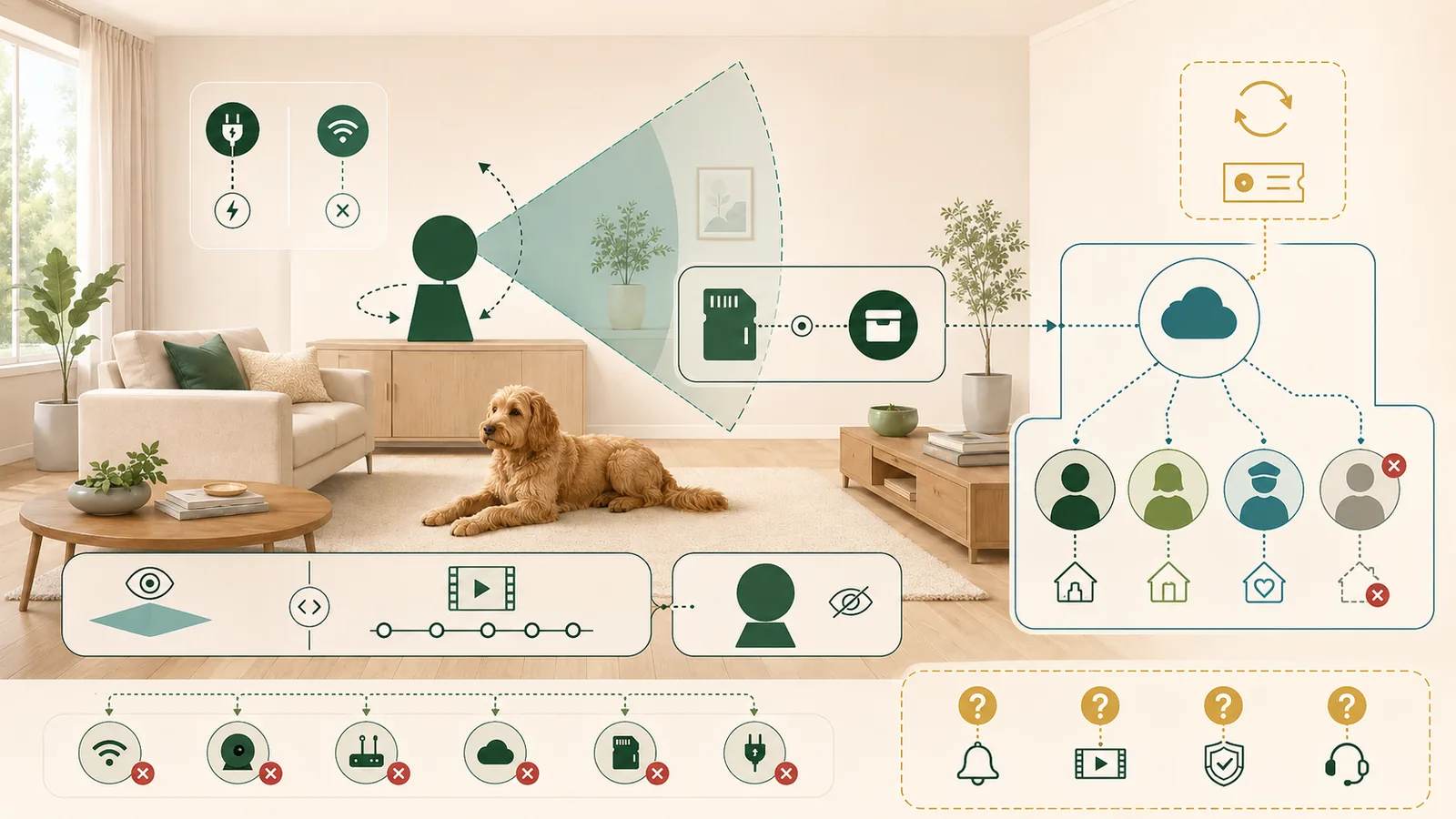
Choose a pet camera by defining the monitoring job, then eliminating systems that conflict with your storage, privacy, account-sharing, network, and subscription requirements. Live view, recorded history, smart alerts, local storage, treat tossing, physical privacy mode, and household access are separate capabilities; a low hardware price does not prove that the required workflow is included.
In the current three-camera sample, Petcube Cam 360 is the clearest documentation fit for separate family and friend accounts with pet-oriented cloud alerts, Furbo 360° Dog Camera is the only treat-tossing option but retains a shared-credential household workflow and conflicting current plan displays, and Wyze Cam Pan v3 is the only sampled option with documented local microSD recording. These are conditional scenario paths, not rankings or performance verdicts.
Key facts
Swipe horizontally to see all columns.
| Question | Evidence-safe rule |
|---|---|
| Is live view the same as recording? | No. A camera may stream live without keeping history; recording duration, event clips, downloads, and web access may require a plan or local card. |
| Does pan and tilt remove blind spots? | No. It changes the view direction, but placement, furniture, pet movement, network delay, power, and motor behavior still matter. |
| Is a pet-specific camera always better? | No. Pet-oriented alerts or treat tossing may matter, while a general indoor camera may offer stronger local-storage or account features. |
| Can one household login be shared safely? | Shared credentials increase access and revocation complexity. Prefer separate accounts and explicit permissions when the platform supports them. |
| Does “no subscription required” mean no ongoing dependency? | No. Remote live view can still depend on cloud services, an app, internet access, vendor support, and account availability. |
| Does this guide name a winner? | No. The sample demonstrates eligibility and verification rules; no camera was purchased or tested. |
The best first question is not “Which camera has the most features?” It is “Which system preserves the exact monitoring, privacy, storage, and household-access workflow I require?”
This guide is suitable for
- United States households comparing indoor cameras for a dog or other pet.
- Buyers willing to verify Wi-Fi, power, app, storage, sharing, subscription, and deletion details before purchase.
- Readers who want scenario rules rather than a universal “best pet camera” ranking.
Use a different research path if
- You need clinical, behavioral, emergency, or welfare interpretation from camera footage.
- You require measured video quality, alert latency, recognition accuracy, security testing, or long-term reliability.
- You need outdoor, vehicle, boarding-facility, or professional surveillance compliance guidance.
- You cannot accept an internet-connected camera inside the home.
Define the monitoring job before comparing cameras
A pet camera can solve several different jobs: a scheduled visual check, continuous or event-based recording, a bark or motion notification, two-way audio, room scanning, treat dispensing, or sharing access with another caregiver. Those jobs do not automatically arrive together.
Write down which outcomes are required and which are optional. A household that only wants an occasional live check may not need cloud history. A household that needs to review what happened before an alert needs recording and a retention period. A sitter workflow needs revocable access, not merely a camera that can stream.
The Federal Trade Commission advises buyers of connected home cameras to research encryption, updates, account security, remote viewing, and sharing controls before purchase. NIST’s consumer-IoT profile similarly treats the whole product-including device, app, cloud and support-as the relevant system rather than the lens alone.
Swipe horizontally to see all columns.
| Monitoring job | Required evidence | Common hidden dependency |
|---|---|---|
| Occasional live check | Current live-view path, phone compatibility, remote access | Internet and vendor service availability |
| Review earlier events | Local or cloud recording, retention and playback rules | Card, subscription, event limits or cloud plan |
| Pet-oriented alerts | Exact alert types and selected plan | Recognition errors, notification delivery and plan changes |
| Shared caregiving | Separate accounts, permissions and revocation | Shared passwords or overly broad administrator access |
| Interactive treat use | Exact dispenser, treat constraints and core/paid boundary | Jams, placement, pet response and cleaning |
| Privacy on demand | Physical shutter/lens position or a documented software-off state | Power, app access and whether recording truly stops |
Define the monitoring job first. A camera that supports live view may still fail a requirement for history, alerts, controlled sharing, or privacy on demand.
Check placement, power, and network before features
All three sampled cameras require continuous power and current app/network support. Petcube Cam 360 and Furbo3 document 2.4 GHz Wi-Fi. Wyze Cam Pan v3 also uses 2.4 GHz Wi-Fi and documents upload guidance of 1.5 Mbps for HD; Petcube publishes a 2 Mbps upload recommendation on its camera support surfaces. The retained Furbo setup record did not supply a comparable minimum upload figure.
Placement changes the useful field of view. A rotating lens can still be blocked by furniture, a crate cover, a doorway, a tall couch, or a pet that moves outside the room. Furbo’s current quick-start guide recommends placing the unit about 2–4 feet high and within 15 feet of the router, and it states that the required 5V/2A/10W USB power adapter is not included in the box.
Separate live view from recording and history
Petcube documents free live video with every camera, while Petcube Care adds cloud history, smart alerts, downloads, filters and web access. Furbo documents live-view Auto Dog Tracking without a Nanny subscription, while tracking in cloud-recorded history requires the subscription. Wyze documents live viewing and local microSD recording separately from Cam Plus cloud history and detections.
For each candidate, record four different answers:
- whether live video works without a paid plan;
- whether any video is retained without a paid plan;
- where retained video is stored and for how long;
- whether playback, downloads or browser access require another tier.
A free live stream cannot answer “What happened an hour ago?” A long retention claim does not prove every event is recorded, that an alert arrives, or that a clip contains the relevant moment.
Treat alerts as a separate, untested layer
Petcube Care lists pet, person, bark, meow, motion and sound-related smart alerts. Furbo Nanny lists pet-oriented alerts and cloud-tracking workflows. Wyze Cam Plus lists sound detections including dog barking alongside general security detections. These are not equivalent alert taxonomies.
The sample was not tested for recognition accuracy, false positives, missed events, server processing, phone delivery, notification permissions, household response time, or whether a moving camera kept the relevant subject in frame. Treat every alert statement as a current platform description until the exact account, plan and room are tested.
Review privacy and household sharing as purchase criteria
An indoor camera can capture people, conversations, routines, location context and private rooms. The FTC recommends strong unique passwords, current software, secure routers, encryption, multifactor authentication where available, and permission-aware sharing. CISA likewise recommends enabling MFA on accounts that offer it.
The current sample documents materially different household models:
Swipe horizontally to see all columns.
| Candidate | Household access | Privacy control | Material limitation |
|---|---|---|---|
| Petcube Cam 360 | Separate Petcube accounts; family access is broad, friend access can be scheduled and limited | Closed-lens privacy mode controlled in the app | The retained public privacy policy is effective September 2021 and needs freshness review |
| Furbo 360° Dog Camera | The current sharing guide tells household members to use the same username and password; two live streams at once | No equivalent physical privacy mode was established in the retained current documentation | Shared credentials complicate attribution, revocation and least-privilege access |
| Wyze Cam Pan v3 | Separate Wyze accounts can receive and lose shared-device access | Head-down privacy mode rotates the lens away and turns the camera off | Exact shared-user abilities and app behavior still require current account verification |
Wyze states that two-factor authentication is enabled by default for email/password accounts; third-party sign-in relies on the provider’s security settings. Furbo documents email verification and advises enabling its two-step flow. A comparable current Petcube MFA record was not established in the reviewed public set, so it remains an open pre-purchase question rather than an assumed absence.
Choose local storage, cloud history, or no history deliberately
Local storage and cloud history change cost, access, failure modes and deletion work. In the sampled documentation, Wyze Cam Pan v3 supports microSD cards up to 256 GB under the stated formats. Petcube Cam 360 and Furbo 360° Dog Camera did not have a retained current local-storage workflow, so their recorded-history paths remain cloud-oriented.
Swipe horizontally to see all columns.
| Candidate path | Live view | Recorded history | Subscription | Unresolved cost or behavior |
|---|---|---|---|---|
| Petcube Basic/free | Documented | None in the current plan table | No paid plan | Hardware tax/shipping; remote-service continuity |
| Petcube Optimal/Premium | Documented | 3-day or 90-day cloud history under current plan display | Required for that history and alert set | Future renewal and policy freshness |
| Furbo core/live | Documented | No retained cloud-history path without Nanny | Not required for live-view tracking | Current hardware offer is promotion/bundle-sensitive |
| Furbo Nanny | Documented | Cloud history and cloud tracking depend on selected tier | Required | Official Standard annual displays conflict |
| Wyze free/local | Documented | Local microSD under documented formats | No paid cloud plan | Card purchase, capacity, overwrite and retrieval settings |
| Wyze Cam Plus | Documented | Cloud event history and additional detections | Required | Future renewal and plan-feature changes |
Before disposal or transfer, separate five actions: cancel the plan, remove shared users, disconnect the device, factory-reset local data, and delete the account or request cloud-data deletion where applicable. Vendor instructions show that these are not automatically the same event.
Compare current cost and commitment without hiding conflicts
The checked prices are volatile snapshots, not guaranteed checkout totals. Temporary promotions were excluded where a stable regular display existed. No destination checkout was completed, so tax, some shipping, cards, accessories and future renewal remain unknown. Recheck the current Petcube product and Care plan, Furbo product and Nanny plan, and Wyze product and Cam Plus price before purchase.
Swipe horizontally to see all columns.
| Path | Known current amount | What it includes | Why it is incomplete |
|---|---|---|---|
| Petcube Cam 360 + Basic | USD 52.99 regular displayed hardware | Live view without paid history | Tax and any shipping unknown |
| Petcube + Optimal annual | USD 100.87 known subtotal | Hardware plus USD 47.88 annual plan | Tax, shipping and future renewal unknown |
| Petcube + Premium annual | USD 196.87 known subtotal | Hardware plus USD 143.88 annual plan | Tax, shipping and future renewal unknown |
| Furbo + Standard annual | Not established as one baseline | Current product page shows a promotional bundle; current help page shows a different annual equivalent | Hardware and plan records conflict; checkout not completed |
| Wyze Cam Pan v3 + free/local | USD 44.98 known hardware display | Camera; local storage requires a separate compatible card | Card, tax and shipping may apply |
| Wyze + Cam Plus annual | USD 74.97 known subtotal | Hardware plus USD 29.99 annual plan | Tax, shipping, card and future renewal unknown |
Petcube’s current table also lists USD 9.99 monthly Optimal, USD 16.99 monthly Premium and a 14-day trial. Wyze lists USD 2.99 monthly Cam Plus. Furbo’s current help page lists Standard at USD 9.99 monthly, USD 7.99 per month on an annual term and USD 7.49 per month on a two-year term, while its current product page displays a different promotional annual amount. The conflict is a reason to verify the exact cart-not to choose the lower figure.
Plan for ordinary failure modes
A camera can be fully powered and still fail the intended workflow. Test these layers separately:
Swipe horizontally to see all columns.
| Failure layer | What may break | Pre-purchase or first-week check |
|---|---|---|
| Power | Unplugged cable, unsuitable adapter, outlet loss | Confirm included hardware, cable route and restart behavior |
| Wi-Fi or internet | 2.4 GHz mismatch, weak upload, router change, service outage | Test the exact placement and deliberately observe offline/reconnect behavior |
| View | Furniture, door, crate cover or motor position blocks the pet | Walk through likely pet locations in daylight and darkness |
| Alert | Wrong event class, missed notification, app permission, delayed delivery | Use safe scripted sounds or movement; record phone and plan settings |
| Storage | No clip, overwritten card, expired cloud history, inaccessible download | Verify retention, playback, export and deletion with non-sensitive test footage |
| Household access | Former sitter retains access or shared password remains valid | Add, limit and revoke a test user; inspect every account and trusted device |
| Subscription | Trial conversion, seller-specific cancellation, no refund | Record seller, renewal date, plan, cancellation route and confirmation |
| Support lifecycle | App, firmware or cloud feature changes | Check update records, support entry point and current policy before purchase |
Test power, network, view, alerts, storage, access, subscription, and support as separate layers; a successful live view does not validate the full household workflow.
Current documented sample
The sample is not a ranking or market census. It shows how different architectures survive different household requirements.
If the first decision is whether a pet-specific camera or a general indoor security camera better fits the household, use the pet camera versus indoor security camera comparison before evaluating individual models.
Swipe horizontally to see all columns.
| Candidate | Current documented strengths | Storage and plan boundary | Privacy and sharing | Material unknowns |
|---|---|---|---|---|
| Petcube Cam 360 | 1080p, 350° horizontal and 55° vertical movement, two-way audio, closed-lens privacy mode, pet-oriented Care alerts | Free live view; cloud history and smart alerts under Care tiers; no current local-storage path retained | Separate family/friend accounts; family control is broad; friend access can be scheduled | MFA evidence not established in reviewed set; 2021 privacy-policy date; real alert, video and network behavior |
| Furbo 360° Dog Camera | 1080p, 360° rotation, treat toss, bark sensor, live-view Auto Dog Tracking | Cloud recording/tracking and alert history depend on Nanny; current offer and Standard annual display conflict | 2-step flow documented, but household sharing uses the same username and password | Stable first-year cost, physical privacy mode, local storage, video quality, dispenser reliability and account revocation behavior |
| Wyze Cam Pan v3 | 1080p, 360°/180° movement, motion tracking, local microSD, head-down privacy mode | Local history without paid cloud plan; Cam Plus adds cloud history and detections | Separate-account sharing and revocation; 2FA default for email/password accounts | Pet-specific alert equivalence, card behavior, shared-user permission details and real-world reliability |
No row proves that the camera is comfortable for a pet, secure against attack, accurate at recognizing behavior, reliable during an emergency, or appropriate for a private room.
For model-level documentation analysis, read the Petcube Cam 360 Product Analysis and the Furbo 360° Dog Camera Product Analysis. Both retain product-specific requirements, plan boundaries, privacy controls, costs and unresolved performance questions without claiming hands-on testing.
Scenario decisions
Separate household accounts are non-negotiable
Petcube and Wyze remain documentation candidates. The retained Furbo workflow fails this requirement because it instructs users to share one login.
A physical privacy mode is required
Petcube and Wyze document a lens position that visibly blocks the normal view. No equivalent Furbo evidence was retained, so Furbo should not pass this gate without a current source or direct observation.
Local recording without a cloud subscription is required
Wyze is the only sampled documentation candidate. Include the microSD card, capacity, overwrite behavior and retrieval steps in the scenario cost and first-week test.
Treat tossing is required
Furbo is the only sampled candidate, but the household must accept its account-sharing model, adapter requirement, cleaning/jam risk and incomplete current cost baseline.
Pet-oriented cloud alerts with separate caregiver accounts are required
Petcube is the clearest documentation path in this sample, subject to the selected Care plan, broad family permissions, policy freshness and a real alert test.
No paid plan is acceptable
All three can support some live/core use without a paid plan, but only Wyze documents local recording in the retained sample. “No plan” does not remove app, internet, account, update or support dependencies.
What to verify before buying
- Exact product and seller: record the model, color/pack, seller, standard versus promotional price and return path.
- Monitoring job: state whether you need live view, history, alerts, pan/tilt, interaction, local storage or shared access.
- Network: confirm 2.4 GHz availability, upload bandwidth, router distance and the exact room.
- Power and accessories: confirm the adapter, cable, mount, microSD card and safe cable route.
- Free versus paid features: map every required feature to the selected plan and billing term.
- Household access: verify separate accounts, permission levels, trusted devices and revocation.
- Privacy: read the current privacy notice, identify captured audio/video and avoid unnecessary private-room coverage.
- Retention and deletion: distinguish clip deletion, device disconnection, account deletion and subscription cancellation.
- Renewal and refund: record the seller of record, trial conversion, renewal date and refund limits.
- Support lifecycle: locate current firmware, app, status, vulnerability and support records before relying on the system.
Use the first week as a controlled check
- Install the camera without exposing a bedroom, bathroom, entry code, work screen or other unnecessary private area.
- Use non-sensitive test footage to verify live view, night view, pan/tilt limits and two-way audio.
- Test Wi-Fi loss, power restart and app reconnection without creating a pet emergency.
- Trigger safe scripted motion or sound and record alert arrival on each caregiver’s phone.
- Confirm whether a clip exists, where it is stored, how long it remains and whether it can be downloaded.
- Add a test household user, inspect permissions, revoke access and review trusted devices or shared credentials.
- Activate privacy mode and verify the visible lens position, live view, audio and recording state.
- Review the trial, plan, renewal date, tax, accessories and cancellation route before the return window closes.
When no connected camera is the better choice
Do not install a connected camera when the household cannot agree on private areas, cannot maintain account security, cannot revoke caregiver access, rejects cloud or app dependencies that the chosen system requires, or would treat an untested alert as emergency supervision.
A simpler workflow can include scheduled check-ins by a trusted person, a non-recording audio device, physical environmental controls, or placing a camera only in a less sensitive common area. Those alternatives solve different jobs and still require their own suitability review.
What we could not verify
- real-world video quality, pan/tilt tracking, night vision, two-way audio or alert accuracy;
- end-to-end notification latency, missed events or service uptime;
- resistance to account compromise, network attack, cloud breach or unauthorized internal access;
- the complete and current data lifecycle for every video, audio, diagnostic, analytics or derived event record;
- the current Petcube MFA workflow from reviewed public sources;
- a stable Furbo hardware-plus-plan baseline because current official displays conflict and promotions change;
- actual local-storage overwrite, export, corruption or recovery behavior for Wyze;
- support response, refund processing, warranty outcomes or future support duration;
- medical, behavioral, welfare, safety or emergency meaning from any alert;
- a complete United States market census or a universal best camera.
Method
This guide used official authority, product, plan, policy and support records checked July 27, 2026. The sample was selected to expose three different buyer paths: a pet-specific camera with separate-account sharing, a treat-tossing pet camera with a shared-credential trade-off, and a general pan/tilt camera with local storage.
The reproducible eligibility method applies explicit requirements for Wi-Fi, power, upload bandwidth, live view, pan/tilt, treat tossing, recorded history, alerts, local storage, household accounts, privacy mode, cloud acceptance, subscription acceptance and known first-year budget. It returns only ineligible or conditional results; it does not score or rank cameras. The retained suite includes 18 regression fixtures, 18 invalid-input rejections, 500 deterministic property cases, JSON Schema validation, repeated-output checks, order-independence checks and known-cost recomputation.
No camera, app, account, subscription, card, alert, sharing, deletion or support workflow was tested. Vendor statements remain vendor statements. See how Pet Signal Guide researches and controls claims for the site-wide method.
Sources
- NIST – Profile of the IoT Core Baseline for Consumer IoT Products
- FTC – How To Secure Your Home Security Cameras
- CISA – Turn On MFA
- Petcube – Cam 360 product and specifications
- Petcube – Care plans
- Petcube – Sharing access to a camera
- Petcube – Cancel a Care subscription
- Petcube – Care free trial
- Petcube – Disconnect/delete a device
- Petcube – Privacy Policy
- Petcube – Cam support index
- Furbo – 360° Dog Camera product page
- Furbo – Nanny plans and pricing
- Furbo – Create and share an account
- Furbo – 360° Dog Camera quick-start guide
- Furbo – First-device setup and model identity
- Furbo – Auto Dog Tracking
- Furbo – Privacy and account-security guidance
- Furbo – Cancel Furbo Nanny
- Furbo – Help Center
- Wyze – Cam Pan v3 product page
- Wyze – Cam Pan v3 technical specifications
- Wyze – About Cam Pan v3
- Wyze – Cam Plus annual price update
- Wyze – Device sharing
- Wyze – Two-Factor Authentication
- Wyze – Delete an account
- Wyze – Cancel a subscription
- Wyze – Account-security guidance
- Pet Signal Guide – How We Research and Evaluate Pet Technology