
Quick answer
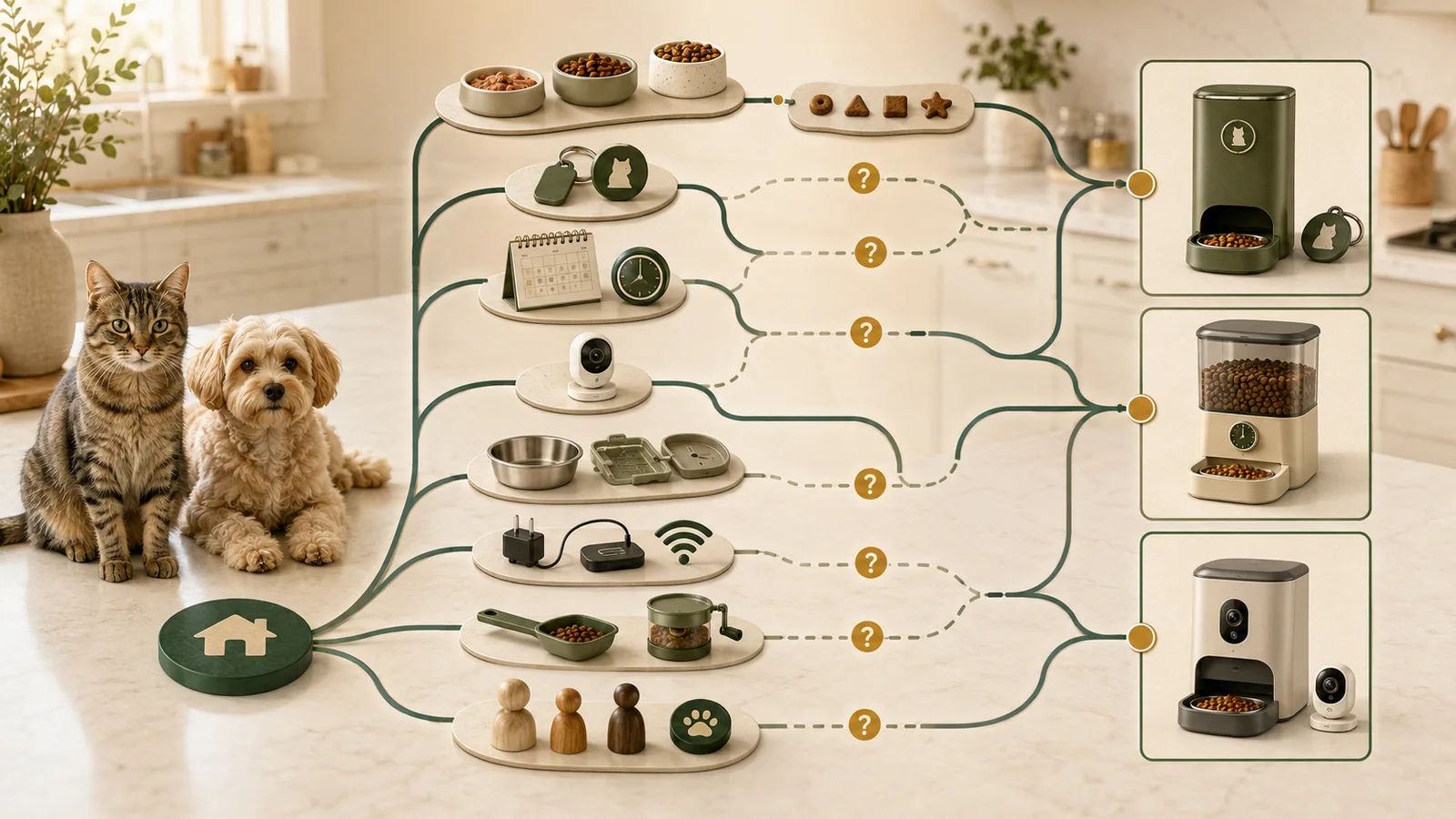
Choose the feeder job before choosing connected features. Selective-access feeders address which tagged pet can reach food; timed hoppers address when stored food is dispensed; camera feeders add a feeding-station view but also add storage, cloud, account, network, and privacy dependencies.
None of these architectures proves that a pet ate. A dispense log does not prove that the intended pet ate the food. Every household still needs a manual food record, a person who owns the backup plan, and an escalation path when food, power, cleaning, app, or hardware conditions do not match the plan.
Key facts
The bounded examples use current official records for the PETLIBRO One RFID PLAF301, PetSafe Smart Feed Gen 2, and PETLIBRO Granary PLAF203; no feeder or pet interaction was tested.
Swipe horizontally to see all columns.
| Field | Current package scope |
|---|---|
| Selective-access example | PETLIBRO One RFID Smart Feeder, PLAF301 |
| Timed-hopper example | PetSafe Smart Feed Gen 2, PFD00-16828 |
| Camera-feeder example | PETLIBRO Granary Smart Camera Feeder, PLAF203 |
| Market and currency | United States; USD |
| Evidence basis | Current official documentation plus a deterministic non-ranking method |
| Direct access | None |
| Main food boundary | Dry-only for both PETLIBRO examples; PetSafe documents dry or semi-moist food |
| Main safety boundary | No nutrition, medical, pet-fit, or feeding-suitability recommendation |
| Cost rule | An unknown required cost is not zero |
The three products expose different feeder architectures; they are not a complete market sample and do not create a best-feeder list.
Choose the feeder job first
A feeder can schedule food, restrict access, add a camera, or provide remote controls, but those are different jobs. Start with the food form and the household failure tolerance. Then decide whether per-pet access, remote changes, camera history, or a lower-complexity offline schedule is genuinely required.
A simple timed feeder can be a better operational fit than a connected feeder when the household does not need remote changes and will not maintain accounts, firmware, network settings, or cloud plans. A manual measured backup remains relevant even when the connected feeder is the primary system.
Architecture matrix
Swipe horizontally to see all columns.
| Decision dimension | One RFID | PetSafe Smart Feed Gen 2 | Granary camera feeder |
|---|---|---|---|
| Primary job | Selective access for one dedicated tag and feeder | Timed dispensing from an app-connected hopper | Timed dispensing plus a fixed feeding-station camera |
| Documented food | Dry only; 2–15 mm kibble | Dry or semi-moist | Dry only; 2–15 mm kibble |
| Selective identity gate | Documented dedicated tag | Not established | Not established |
| Built-in camera | No | No | Yes |
| Powered schedule during internet outage | Documented | Documented | Documented |
| Camera recording during internet outage | Not applicable | Not applicable | Documented to stop |
| Emergency battery path | Three D cells, not included; connected functions narrow | Four D cells, not included; backup only | Three D cells, not included; camera/Wi-Fi disabled |
| Measured reliability | Not tested | Not tested | Not tested |
The matrix compares documented feeder jobs and dependencies; it does not establish field-tested reliability or a best feeder.
Documented continuation is not guaranteed performance. The matrix describes stated behavior and dependencies, not field-tested reliability.
Food and pet-fit boundaries
Swipe horizontally to see all columns.
| Question | One RFID | PetSafe Smart Feed Gen 2 | Granary camera feeder |
|---|---|---|---|
| Wet or refrigerated food | Not supported by retained exact-product documentation | Not supported by retained exact-product documentation | Not supported by retained exact-product documentation |
| Semi-moist food | Not supported | Documented | Not supported |
| Kibble diameter | 2–15 mm | Exact range not established in this package | 2–15 mm |
| Individual pet access | Dedicated collar tag and feeder architecture | No documented identity gate | No documented identity gate |
| Pet will wear or retain required tag | Not tested | Not applicable | Not applicable |
| Pet acceptance of sound, lid, bowl, or enclosure | Not tested | Not tested | Not tested |
| Dispense log proves consumption | No | No | No |
Match the exact food form, kibble geometry, access mechanism, and observed pet fit before treating any architecture as eligible.
Do not use this table to choose a diet or portion. Verify the exact food form, kibble geometry, bowl access, tag acceptance, and current product instructions. Health, weight, medication, diabetes, growth, pregnancy, recovery, or therapeutic-diet questions require the pet’s veterinarian.
Cleaning and maintenance
Swipe horizontally to see all columns.
| Area | Current documented check | What remains unknown |
|---|---|---|
| Food bowl and measuring tools | FDA advises washing and drying after each use | Household adherence and contamination outcomes |
| One RFID base, reader, and tag | Do not rinse directly or wipe with a wet cloth | Long-term residue, wear, or pet-contact effects |
| One RFID rotor | Remove food, clean rotor and cover, reinstall, and test | Failure prevalence and repair success |
| PetSafe removable components | Warm soapy water; rinse and dry thoroughly | Actual dishwasher cycle, wear, and residue |
| PetSafe base, conveyor, and crumb catcher | Keep base dry; conveyor and crumb catcher are not dishwasher-safe | Long-term maintenance burden |
| Granary exact food path | Complete exact-model dishwasher-safe path not established | Parts-specific current cleaning instructions for PLAF203 |
Cleaning instructions are part-specific; do not apply a dishwasher-safe label to the complete feeder or its electronic base.
Cleaning is not a single “dishwasher-safe” field. Separate the removable bowl, hopper, rotor or conveyor, reader, base, camera, and electronic surfaces, and follow the exact current model instructions for each part.
Failure modes to plan for
Swipe horizontally to see all columns.
| Observed symptom or event | Documentation-led checks | Stop or escalation boundary |
|---|---|---|
| No food dispensed | Power, food level, kibble size, rotor/conveyor, obstruction, priming, alignment | Use a manual meal plan if the pet may miss food; contact the manufacturer when documented checks do not resolve it |
| Meal is late | Power, saved schedule, time zone, app/account state, Wi-Fi, offline state | Do not promise a fix or rely on the next automated meal until verified |
| Wrong amount appears | Food level, refill priming, debris, conveyor/rotor alignment | A log does not prove bowl delivery or consumption |
| RFID lid or tag does not respond | Tag pairing, reader attachment, interference, app and reset state | No recognition-rate or pet-wear conclusion without controlled observation |
| Camera history missing | Plan, account, network, power, storage media, internet state | No video record should be treated as proof that feeding did or did not occur |
| Firmware or app workflow fails | Stable power, router proximity, app version, reset/reconnect, support route | Preserve schedules and a manual record before destructive reset |
A successful troubleshooting step does not prove the root cause is resolved; verify a normal scheduled cycle before relying on automation again.
Ordinary failures are not proof of a dangerous product, and a successful troubleshooting step is not proof that the root cause is resolved. Re-verify at least one normal scheduled cycle before relying on automation again.
Build the backup plan before setup
Swipe horizontally to see all columns.
| Layer | Before relying on automation | During a failure |
|---|---|---|
| Food and manual measure | Keep appropriate food, original packaging, lot information, and a dedicated scoop | Use the pre-recorded manual meal plan rather than estimating from memory |
| Power | Install only documented backup batteries and record the date | Treat battery mode as a reduced-function path; verify the actual dispense |
| Internet and cloud | Know which saved schedule survives offline and which app/camera functions stop | Do not confuse an offline schedule with remote visibility or confirmation |
| Household roles | Assign one owner for schedule, refill, cleaning, and escalation | Record who checked the feeder and who fed manually to avoid duplicate meals |
| Pet observation | Verify the animal can approach, access, and eat from the bowl | A dispense event is not proof that the intended pet ate |
| Escalation | Save model, serial, receipt, support route, and current settings | Contact the manufacturer for device failure; seek a veterinarian for pet-health concerns rather than using this guide as medical advice |
The backup plan must name the food, measure, schedule, responsible person, verification step, and escalation route before setup.
Backup planning is a household workflow, not a product badge. Assign responsibility explicitly and keep the instructions where another responsible adult can follow them without guessing.
Multi-pet homes need access and attribution controls
The One RFID architecture is the only retained example with a documented dedicated-tag access gate. That can address one part of food separation, but it does not establish collar comfort, recognition reliability, food intake, or suitability for an individual pet.
The timed PetSafe and camera-equipped Granary examples do not establish an individual identity gate in this package. Multiple bowls, splitters, cameras, or feeding logs do not automatically prove which animal ate or how much each animal consumed.
Cost and subscription check
Price is a separate decision layer from feeder architecture. Before paying, verify the exact model, seller, included parts, shipping, tax, backup batteries, storage media, consumables, optional service, renewal basis, cancellation route, and return terms. An unknown required cost is not zero.
For current hardware prices, plan terms, worked cost fields, and total-cost methodology, use Smart Pet Feeder Pricing and Total Cost. That page owns the detailed pricing scope; this buyer guide does not reproduce its tables or subtotals.
Verify the first week before relying on automation
- Record the exact model, firmware, app, account owner, food, kibble size, bowl, schedule, and power arrangement.
- Run manual dispenses with the exact food while present. Confirm food reaches the bowl; do not use the app log as the only evidence.
- Observe each scheduled meal and the pet’s access for several cycles. Record exceptions instead of adjusting portions from memory.
- Test the documented internet-offline state while the feeder remains powered. Do not simulate a household power failure unless the manufacturer instructions make the procedure safe and the pet is not relying on that test meal.
- Verify backup batteries, reduced-function behavior, refill alerts, cleaning steps, and the manual meal plan.
- Confirm another responsible adult can follow the backup record without sharing credentials unnecessarily or guessing the portion.
When to avoid relying on an automatic feeder
- The exact food form or kibble geometry is not documented as compatible.
- A missed or duplicate meal could have a material health consequence and there is no veterinarian-approved plan or responsible person observing the pet.
- The pet cannot reliably access the bowl, wear the required tag, or tolerate the mechanism based on direct observation.
- The household cannot maintain cleaning, refill, power, network, account, firmware, or backup responsibilities.
- The required behavior depends on a feature that is unknown, conflicted, or not tested.
- Wet or refrigerated food is required but the exact selected feeder, temperature, cleaning, and specialist gates have not been established.
What we could not verify
No feeder was purchased, borrowed, installed, configured, cleaned, loaded, jammed, reset, or used with a pet. We did not measure portion accuracy, meal timing, battery runtime, tag recognition, pet acceptance, app reliability, alert latency, cloud uptime, camera quality, support quality, contamination, or long-term failure rates.
The Granary daily meal-count documentation is not fully consistent across current official surfaces. The exact PetSafe kibble-size range and the complete exact-model dishwasher-safe path for PLAF203 were not established in this package. Current prices, promotions, plan terms, app behavior, and policies may change.
Decision by scenario
Swipe horizontally to see all columns.
| Household requirement | Documentation-led direction | Material limitation |
|---|---|---|
| One tagged pet needs access while other pets should be blocked | Start with selective-access architecture | Requires dedicated tag, reader placement, pet acceptance, and one-tag/one-feeder constraints |
| Dry or semi-moist food and no identity gate is needed | Timed-hopper architecture is the only retained example documenting semi-moist food | Exact food shape and flow compatibility still need verification |
| A fixed feeding-station camera is required | Camera-feeder architecture is the only retained integrated camera example | Network interruption stops recording and camera placement is tied to the feeder |
| Recording must continue without home internet | None of the retained exact feeder examples meets that requirement | Use a separately verified local camera architecture or revise the requirement |
| Wet or refrigerated food is required | None of the retained exact examples fits | Select an exact refrigerated or wet-food feeder only after current food, temperature, cleaning, and specialist gates are met |
| The household cannot maintain a manual backup | Do not rely on any retained automatic feeder | All three architectures retain power, refill, cleaning, food-flow, app, or human-maintenance dependencies |
Eliminate architectures that fail a documented hard requirement, then verify the surviving path with the exact food, pet, household, network, and backup workflow.
The safest editorial conclusion is conditional: eliminate architectures that cannot meet a documented hard requirement, then verify the surviving product with the exact food, pet, household, network, and manual backup workflow. This page does not replace veterinary advice or manufacturer instructions.
Method
Pet Signal Guide normalized three exact current feeder records and ran six declared household scenarios through food, access, camera, outage, battery, cleaning, account, schedule, kibble, cloud-history, and known-cost gates. Unknown required fields remain unknown. Synthetic fixtures validate deterministic logic only; they are not product tests.
The method produces no score, rank, winner, reliability verdict, feeding-suitability verdict, safety verdict, or recommendation. Read the sitewide research and evaluation method for the evidence-language rules used here.
Sources
- Proper Storage of Pet Food & Treats – U.S. Food and Drug Administration. Checked July 26, 2026. Pet-food storage, original packaging, cool/dry storage, and bowl/utensil cleaning guidance; not feeder-specific performance evidence.
- Tips for Safe Handling of Pet Food and Treats – U.S. Food and Drug Administration. Checked July 26, 2026. General pet-food handling and cleaning guidance; not individualized veterinary or nutrition advice.
- Profile of the IoT Core Baseline for Consumer IoT Products – NIST. Checked July 26, 2026. Consumer-IoT product-system framing; not a feeder certification, reliability finding, or security audit.
- Securing Your Internet-Connected Devices at Home – Federal Trade Commission. Checked July 26, 2026. General US connected-device guidance; not exact-product implementation evidence.
- Getting In and Out of Free Trials, Auto-Renewals, and Negative Option Subscriptions – Federal Trade Commission. Checked July 26, 2026. General US trial and renewal diligence; not product-specific legal advice.
- How We Research and Evaluate Pet Technology – Pet Signal Guide. Checked July 26, 2026. Sitewide evidence and commercial-independence method.
- One RFID Smart Feeder – PETLIBRO. Checked August 21, 2026. Exact PLAF301 product identity, current USD hardware display, dry-food range, dedicated tag, power, connectivity, and box contents; no checkout or use test.
- Pre-sale Inquiries About One RFID Feeder – PETLIBRO. Checked July 26, 2026. One RFID product-use boundaries and battery-mode statement; no observed pet fit or outage test.
- How Do I Disassemble and Clean the One RFID Pet Feeder? – PETLIBRO. Checked July 26, 2026. Exact PLAF301 parts-specific cleaning limits; no hygiene outcome test.
- What Can I Do If My One RFID Feeder Does Not Dispense Food? – PETLIBRO. Checked July 26, 2026. Documented troubleshooting sequence; no incidence rate, repair success rate, or feeding outcome.
- One RFID Feeder Rotor Stuck Error – PETLIBRO. Checked July 26, 2026. Rotor-stuck troubleshooting; no prevalence or independent repair result.
- One RFID Feeder Schedule Troubleshooting – PETLIBRO. Checked July 26, 2026. Power, restart, interference, reset, and reconnection workflow; no executed troubleshooting.
- One RFID Feeder Will Not Boot or Stops Working – PETLIBRO. Checked July 26, 2026. Power-source troubleshooting; no power-system measurement.
- Unable to Update One RFID Feeder Firmware – PETLIBRO. Checked July 26, 2026. Firmware-update troubleshooting; no update execution or support-lifetime guarantee.
- Pair the Collar Tag With the One RFID Feeder – PETLIBRO. Checked July 26, 2026. Dedicated-tag pairing workflow and interference checks; no pet-wear or recognition-rate test.
- RFID Collar Tag – PETLIBRO. Checked July 26, 2026. PLTG001 identity, PLAF301 compatibility, weight, no charging, and splash-proof boundary; localized record, not US checkout.
- Petlibro Food Desiccant Bag – PETLIBRO. Checked July 26, 2026. Current displayed package amount, selector, subscription offer, and compatible models; exact selected pack and cadence must be verified.
- PETLIBRO Help Center – PETLIBRO. Checked July 26, 2026. Current feeder support routes; not response-time, repair-quality, or long-term support evidence.
- PETLIBRO Shipping Policy – PETLIBRO. Checked July 26, 2026. Current direct-site shipping thresholds; actual seller, destination, tax, and checkout remain unknown.
- Granary Smart Camera Feeder – PETLIBRO. Checked August 21, 2026. Exact current product, USD hardware display, dry-food feeder-camera architecture, returns, and warranty labels; no checkout or use.
- Granary Smart Camera Feeder for Pet – PETLIBRO. Checked July 26, 2026. Battery-mode, microSD, service refund, separate subscription, shipping, and warranty statements; no executed workflow.
- PETLIBRO Video Cloud – PETLIBRO. Checked August 21, 2026. Current regular and promotional cloud-plan surfaces; prices, history, and renewal remain volatile.
- PETLIBRO Feeder FAQ – PETLIBRO. Checked July 26, 2026. Localized Granary offline and battery-mode support snippets; not an outage test.
- Does the Camera Feeder Need to Be Online to Record? – PETLIBRO. Checked July 26, 2026. Exact AF203/PLAF203 recording dependency; no outage execution.
- PETLIBRO App for iOS – Apple App Store / PETLIBRO. Checked July 29, 2026. Current United States app-distribution record; no account, feeder-control, notification, or reliability workflow was executed.
- Granary Smart Camera Feeder Product Surface – PETLIBRO. Checked July 26, 2026. Current product-family feature surface; no hands-on observation.
- Granary Smart Camera Feeder Specifications – PETLIBRO. Checked July 26, 2026. Exact model and technical fields from an official localized record; not a US checkout.
- Subscription Service Terms – PETLIBRO. Checked August 21, 2026. Recurring-service terms; exact selected plan, seller, renewal, and cancellation remain channel-specific.
- Smart Feed Automatic Dog and Cat Feeder, 2nd Generation – PetSafe. Checked August 21, 2026. Exact PFD00-16828 identity, current USD hardware display, capacity, meals, food types, cleaning, Wi-Fi, and backup power; no checkout/use.
- Automatic Pet Feeders – PetSafe. Checked July 26, 2026. Current feeder-category inventory and prices; not a complete market census or product recommendation.
- Smart Feed Automatic Feeder, 2nd Generation Support – PetSafe. Checked July 26, 2026. Exact product support index; not evidence of response time, repair success, or future support duration.
- Smart Feed Automatic Pet Feeder Is Offline – PetSafe. Checked July 26, 2026. Offline behavior and 2.4 GHz troubleshooting; no outage test.
- Smart Feed Will Not Power On – PetSafe. Checked July 26, 2026. Power and battery guidance; no measured runtime.
- Disassemble and Clean Smart Feed – PetSafe. Checked July 26, 2026. Parts-specific cleaning limits; no hygiene outcome test.
- Smart Feed Is Not Dispensing the Correct Amount – PetSafe. Checked July 26, 2026. Incorrect-amount troubleshooting; no accuracy measurement or prevalence.
- Smart Feed Is Not Dispensing Meals on Time – PetSafe. Checked July 26, 2026. Time-zone and connection troubleshooting; no timing measurement.
- Reboot or Reset Smart Feed Automatic Pet Feeder – PetSafe. Checked July 26, 2026. Reboot versus destructive reset workflow; no executed reset.
- Return and Warranty Information – PetSafe. Checked July 26, 2026. Direct-purchase policy conditions; seller and proof requirements apply, no transaction observed.