
Documentation-led lost-pet response workflow
A tag, microchip, tracker, shelter report, flyer, and search helper do different jobs. This workflow puts them in a safe order, routes local rules by the place where the pet went missing, and keeps a time-stamped record without promising recovery.
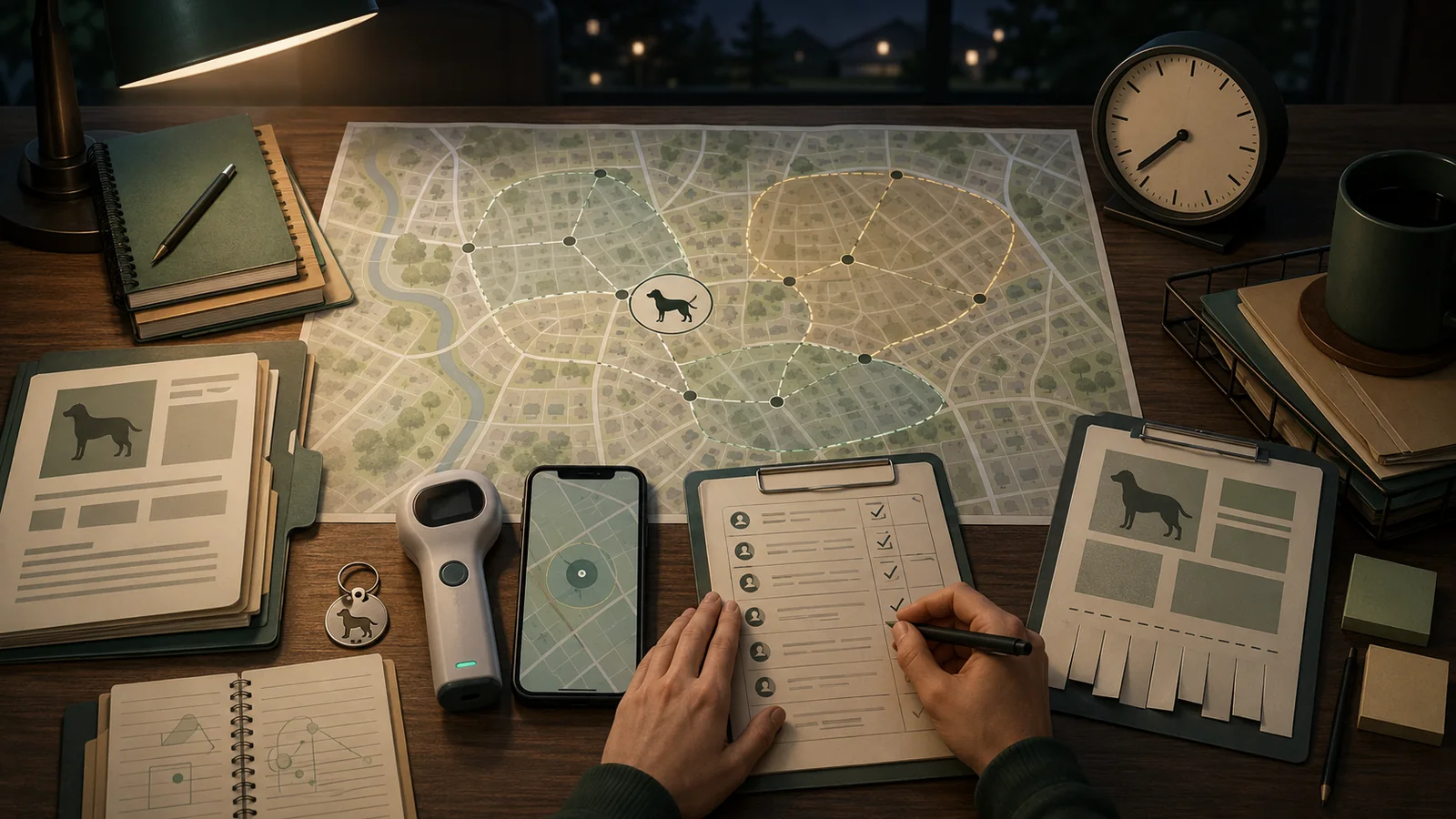
Quick answer
Start with human safety and the exact loss location, then run identification, local reporting, tracker, search, and public-notice layers in parallel.
A microchip can support identification after a scan, while a tracker can provide a time-stamped search lead; neither proves the dog’s current position or guarantees recovery.
If a person or the dog is in immediate danger, use the current local emergency or professional route and do not delay help for device troubleshooting.
Key facts
On smaller screens, scroll this summary horizontally.
| Key fact | What the page records |
|---|---|
| Safety priority | Human safety and the current local authority route take priority over tracker or search troubleshooting. |
| First jurisdiction | The exact place where the dog went missing determines the first jurisdiction to verify. |
| Identification layers | Tags, microchips, trackers, records, shelter reports, and public notices perform different jobs. |
| Tracker evidence | A tracker point is a time-stamped lead, not proof of the dog’s current position. |
| Recovery closeout | After recovery, close reports, posts, alerts, and temporary share links and refresh identification records. |
These facts define the response scope; verify the exact local route and current situation before relying on a row.
Immediate response routes
Use the first applicable route as a safety boundary, then continue the remaining identification, reporting, and search work without treating one device or database as a complete response.
On smaller screens, scroll this table horizontally.
| Situation | Immediate route | What not to assume |
|---|---|---|
| Person in immediate danger | Leave the hazard and contact the current emergency route | That recovering the pet justifies entering traffic, water, fire, private property, or another unsafe area |
| Pet appears injured, distressed, aggressive, or traffic-endangering | Contact current animal services, police dispatch, or emergency veterinary help | That a generic capture technique is safe |
| Pet missing; exact local agency known | File the correct local report, start repeated shelter checks, and activate available identification and location layers | That one report reaches every neighboring service area |
| Credible sighting | Record time, place, direction, source, and confidence; coordinate authorized helpers | That the sighting or tracker point is the pet’s current position |
| Pet recovered or found | Notify the local report route and close posts, databases, and temporary share links | That recovery is complete while stale alerts and public data remain open |
Human safety and current local professional routing come before any device, search, or reporting workflow.
First actions: preserve facts before they blur
Write down the last time and place the pet was physically confirmed, not merely the latest app timestamp. Record the exact street, property, park, trail, vehicle stop, facility, or border area where the pet was last seen. Save a current photo, a plain description, collar or harness details, visible tags, microchip number if available, tracker status, relevant medical or handling notes already supplied by the owner, and the names of people who can make decisions.
Use a private incident record for sensitive details. Public materials should not contain complete microchip numbers, tracker credentials, one-time codes, door codes, full identity documents, private travel plans, or an unrestricted live-location link. Preserve screenshots only when they do not expose credentials or unrelated personal data.
Assign one coordinator. Helpers should know who receives sightings, who talks to shelters, who monitors the tracker, who updates public posts, and who can authorize costs or reclaim steps. Parallel work is useful; contradictory instructions are not.
Find the right jurisdiction before copying a checklist
Lost-pet procedures in the United States are local. The responsible route can depend on whether the loss occurred inside a city, in an unincorporated county area, in a contracted municipality, near a jurisdiction border, on park or campus property, or after normal business hours. The same metropolitan area may have several shelters, animal-control agencies, police-dispatch routes, online report systems, and different holding or reclaim rules.
Use the physical loss location – not the owner’s home address – to identify the first authority. Then check neighboring service areas when a boundary is plausible. Verify the current official page and phone route; search snippets, old flyers, social comments, and third-party directories can be stale.
On smaller screens, scroll this table horizontally.
| Question | Record | Stop condition |
|---|---|---|
| Where was the pet last physically confirmed? | Exact address or mapped location, date, time, direction, and property type | Do not select an agency from the owner’s ZIP code alone |
| Which agency serves that point? | Current city/county/service-area page, report route, shelter, and phone | Do not rely on an unverified directory listing |
| What happens after hours? | Current dispatch, emergency, voicemail, or next-opening instructions | Do not assume the daytime office handles urgent after-hours cases |
| Could the pet cross a boundary? | Neighboring agencies and shelters actually checked | Do not assume databases are shared across jurisdictions |
| What are the local reclaim and hold rules? | Current official instructions, proof, fees, deadline, and exceptions | Do not import another county’s rule |
Route from the exact loss location; an owner’s home ZIP code or another jurisdiction’s checklist cannot establish the responsible agency.
Use identification layers without confusing their jobs
Visible tags and local licenses can provide an immediate contact path when the information is current and the item remains attached. A microchip is a persistent identifier that must be scanned. The American Animal Hospital Association lookup tool can identify a participating registry associated with a chip number, but it does not reveal private owner details, update a registration, guarantee that data is current, or replace a shelter or veterinary scan.
Before an incident, verify that the chip can be detected, the registry route is known, and the owner’s contact data is current. During an incident, contact the registry using a route independently obtained from the lookup result or official registry page. Do not publish the full chip number.
For a mechanism-level explanation of these differences, see how pet location technologies work. The separate GPS tracker, Bluetooth tag, and microchip comparison explains why identification, nearby finding, and live-location jobs are not interchangeable.
On smaller screens, scroll this table horizontally.
| Layer | Useful job | Material limit | Response check |
|---|---|---|---|
| ID tag or license | Immediate visible contact path | Can detach, become unreadable, or contain old details | Confirm the current phone and local license record |
| Microchip | Persistent identifier after a compatible scan | No live location; registry/contact data may be incomplete or stale | Identify the registry route and confirm contact data |
| Cellular/GNSS tracker | Time-stamped location lead within service and coverage limits | Power, account, network, cloud, phone, and environment dependencies | Record fix age, accuracy context, mode, battery, and connection state |
| Bluetooth/UWB item tag | Nearby or crowd-network item finding | Not equivalent to cellular wide-area pet tracking | Preserve safety alerts and avoid overstating current location |
| Photo and ownership records | Identification, report quality, and reclaim packet | Local proof requirements differ | Keep a private, current, portable packet |
Identification, nearby finding, remote location, and ownership records do different jobs; no single layer establishes every part of recovery.
Use tracker data as a time-stamped search lead
When a compatible tracker is present, preserve the last reported timestamp before changing modes. Activate the current lost or live mode only through the exact product workflow and only when the required account, membership, phone, and network conditions are met. Save the reported battery state, mode, connection state, accuracy or uncertainty display, and whether the point came from a current update, history, nearby phone, home/base state, or a stale last-known record.
Fi and Tractive both document temporary location-sharing workflows. Limit links to authorized helpers, decide who can forward them, and close them after recovery. A link is not identity verification, route safety, or permission to enter private property.
Do not label an untimed or old point “current.” The package’s internal router stops that interpretation when the timestamp is unknown or more than 15 minutes old. That threshold is an editorial data-handling rule for this method – not a claim that a point younger than 15 minutes is accurate, safe to approach, or guaranteed to reflect the pet’s present location.
On smaller screens, scroll this table horizontally.
| Field | Record | What it cannot establish |
|---|---|---|
| Last physically confirmed event | Place, date, time, observer | That the tracker point is wrong or right |
| Latest tracker report | Timestamp, mode, connection, battery, uncertainty context | The pet’s exact present position |
| Location history | Sequence of retained reports and gaps | Where the pet was between reports |
| Share link | Creator, recipients, start time, planned end | Recipient identity, safe conduct, or non-forwarding |
| Light or sound | Exact prerequisites and activation time | That the pet can be seen, heard, approached, or recovered |
Treat tracker data as a time-stamped search lead. An unknown or old timestamp is not the pet’s current position.
File local reports, then repeat shelter checks
Use the current official route for the exact service area. Give a current photo, plain description, last physically confirmed place and time, contact route, identification details, and any handling note that the agency requests. Keep the report number, submission time, agency, operator or confirmation, and scheduled follow-up.
Official local examples repeatedly warn that online listings can be delayed or incomplete and that in-person or repeated checks may still be necessary. A missing database match is not proof that the pet was not admitted. Check neighboring jurisdictions when movement across a boundary is plausible, and use the authority contact log so the same agency is not called repeatedly with conflicting information.
On smaller screens, scroll this table horizontally.
| Record | Minimum useful fields | Why it matters |
|---|---|---|
| Lost report | Agency, report ID, date/time, status, next check | Creates a traceable local route |
| Shelter check | Facility, database/in-person method, time, result | Separates “not listed” from “not checked” |
| Neighboring jurisdiction | Reason, route, report/check result | Prevents a border assumption |
| Microchip contact | Registry identified, alert/contact update, confirmation | Preserves the registry route without publishing private data |
| Follow-up cadence | Owner-assigned times based on current local advice | Avoids relying on a single early search |
A missing online listing is not proof that no intake occurred; record and repeat the checks required by the current local process.
Coordinate helpers and keep sightings separate from assumptions
Assign bounded search areas and time windows. Helpers should have a current photo, privacy-safe contact route, plain instructions, and explicit safety limits. Do not ask people to enter traffic, water, construction zones, private property, or other hazards. Do not prescribe chasing, cornering, trapping, or approaching a frightened, injured, or aggressive animal; route those situations to current local professionals.
A sighting log should separate direct observation from hearsay, social reposts, tracker reports, and inferred movement. Record the exact time, place, direction, description, observer contact, photo or video if safely obtained, and confidence. Mark duplicates and corrections rather than deleting failed leads.
Search teams should not all follow the same unverified tracker point. One person can monitor updates while others continue local reports, shelter checks, flyers, and safe physical search. The objective is coordinated evidence, not maximum movement.
Post publicly without publishing the household
A useful public notice contains a current photo, pet name if the owner chooses, physical description, collar or tag description, last physically confirmed date and bounded location, behavior note, and a privacy-safe contact route. Ask people to report a sighting time, location, direction, and photo if safely available.
Do not post complete chip or license numbers, account screenshots with identifiers, tracker credentials, one-time codes, home access details, full identity documents, or a permanent unrestricted live-location link. A temporary tracker share can be sent directly to authorized helpers instead of placing it on a public feed.
On smaller screens, scroll this table horizontally.
| Include | Keep private | Verification step |
|---|---|---|
| Current clear photo | Unrelated people, documents, or home details in the background | Crop and review before posting |
| Bounded last-seen area and time | Unnecessary travel plan or empty-home information | Use the minimum detail needed for a useful sighting |
| Plain identifying features | Complete microchip, license, account, or serial numbers | Reserve private identifiers for verified authorities |
| Privacy-safe contact route | Primary personal number when a relay can work | Decide who monitors and records contacts |
| Sighting request | Instructions to chase, capture, trespass, or enter danger | Route hazardous situations to local professionals |
Publish only the details needed for useful sightings, and keep complete identifiers, credentials, access details, and unrestricted location links private.
Verify callers before sharing information or money
Lost-pet posts can attract legitimate tips, mistaken sightings, and impersonation scams. A caller who claims to be a shelter, veterinarian, officer, emergency service, or finder should be verified through a phone number or website independently obtained from the official organization – not only the number supplied by the caller.
Do not send gift cards, cryptocurrency, wire transfers, or payment-app funds to an unverified contact. Do not disclose one-time codes, passwords, chip-registration credentials, tracker logins, or identity documents as a condition for seeing alleged proof. Ask for non-sensitive details that a genuine finder might be able to provide, while remembering that public posts may already reveal some features.
On smaller screens, scroll this table horizontally.
| Contact claim | Independent check | Do not provide |
|---|---|---|
| “I am calling from a shelter or clinic” | End the call and use the organization’s independently sourced official number | Payment, login codes, or complete identity records |
| “I found your pet” | Request time, place, direction, and non-public observable details; route a safe meeting through local help | Home access, uncontrolled payment, or unsafe meeting location |
| “Pay now for emergency treatment” | Call the named clinic or authority through its official route | Gift cards, cryptocurrency, wire, or payment-app transfer to an unverified person |
| “Send the verification code” | Treat as an account-takeover warning | Any one-time code or password |
| Unclear or conflicting story | Preserve the message, number, time, and claimed organization | A public accusation before facts are established |
Verify organizations and payment requests through independently sourced routes before sharing money or sensitive information.
Prepare a private proof-of-ownership packet
Facilities can request different evidence. A private packet may include recent photos or video, local license, veterinary records, microchip certificate or registry information, adoption or transfer documents, bill of sale, lease or household record, and government identification. Keep originals private and share only what the verified facility requires through its current secure route.
Do not treat the packet as a universal legal standard or guaranteed entitlement. Reclaim fees, deadlines, vaccination or license requirements, holds, transfer rules, and dispute procedures vary by jurisdiction and circumstances. Record the facility’s exact current instruction and the name or reference for the interaction.
When you find a pet – or recover your own
For a found animal, look for visible tags without putting yourself at risk. Where safe and locally appropriate, use a shelter or veterinary route for a microchip scan. Report the animal through the current local authority process and ask what temporary finder-care, transport, evidence, and hold rules apply. Do not move an animal across jurisdictions or assume that posting online satisfies local reporting duties.
If the animal appears injured, distressed, aggressive, or likely to enter traffic, use current professional routing and avoid unsafe capture. If you recover your own pet, document where and how the recovery occurred, verify the animal’s condition through the appropriate professional when needed, and begin operational closeout immediately.
For any handoff or reunification, record the reporting agency or facility, scan result when available, transfer time, person receiving the animal, and any instruction about proof or local follow-up. Keep that operational record private unless a verified authority requires disclosure.
Close every report, post, alert, and share link
Recovery is not operationally complete while shelters, authorities, registries, community databases, helpers, and public posts still show an active case. Update or close every official report; mark public posts resolved; stop temporary tracker sharing; remove privacy-sensitive flyers when practical; and tell helpers to stop circulating the old location.
Recheck the ID tag, local license, microchip registration, current photos, tracker fit, charging, membership, permissions, and household-access list. Preserve a minimal incident record: what happened, which routes were contacted, which evidence was useful, what was stale, and which preparation failed. Do not retain unnecessary public or helper access indefinitely.
On smaller screens, scroll this table horizontally.
| Closeout item | Evidence to retain | Privacy action |
|---|---|---|
| Official reports and shelter records | Closure time and confirmation | Remove the active public status where supported |
| Community posts and flyers | Resolved notice and date | Delete unnecessary location and contact exposure |
| Tracker share links | End time and owner confirmation | Revoke temporary helper access |
| Tag, license, and microchip | Current contact verification | Keep complete identifiers out of public records |
| Incident lesson record | What worked, failed, or stayed unknown | Retain only necessary operational detail |
Recovery closeout includes closing reports, posts, alerts, and temporary share links as well as refreshing identification records.
Prepare the response packet before an incident
Keep a current photo, plain description, tag and license contacts, microchip number and registry route, ownership packet, veterinarian and emergency contacts, tracker model and account owner, charging path, plan state, household access list, privacy-safe contact route, and a blank incident log. Test only through a bounded, safe exercise that never releases a pet or simulates a real escape.
Preparation should also identify the exact local animal-control and shelter routes for home, regular walking areas, boarding locations, and frequent travel destinations. Treat every route as dated information that may change.
How the routing method works
Pet Signal Guide built a deterministic documentation router with exact required inputs. Human danger and an injured or distressed animal override all device workflows. A missing or sighted pet cannot advance to a localized procedure until the exact loss jurisdiction and current authority route are verified. Found-pet cases require local notification and closeout. The method also preserves gaps in reports, photos, proof, microchip registration, tracker timestamps, helper safety, privacy, scam verification, sighting records, and closure.
The router returns operational states such as emergency handoff, authority routing required, closeout required, conditional response active, or documented response packet complete. It does not score agencies, predict recovery, decide ownership, diagnose an animal, declare a caller fraudulent, prescribe capture, or recommend a tracker. Synthetic fixtures test routing consistency only; no real incident was executed.
Evidence limits and local verification
This article is based on current public documentation and a reproducible routing method. It is not a substitute for the instructions of the authority serving the exact location, emergency responders, a veterinarian, a shelter, legal counsel, or a qualified lost-animal specialist. Local service areas, reporting duties, after-hours routes, holds, fees, proof requirements, and finder-care rules can change.
No recovery rate, search radius, ‘golden hour,’ hold period, capture method, tracker accuracy, alert latency, shelter performance, scam prevalence, or best workflow was established. This workflow has not received authority or specialist review. Verify every material source, local instruction, and jurisdiction-specific contact route before relying on it in a real incident.
Sources
- Centers for Disease Control and Prevention – Be Prepared: Pet Safety in Emergencies. Emergency planning, current identification, records, local-agency routing, and safe handling after emergencies; not a universal municipal lost-pet procedure or recovery guarantee. Checked July 28, 2026.
- American Animal Hospital Association – Microchip Registry Lookup Tool. Identifies the participating registry associated with a chip number; does not expose owner details, update registration, or replace shelter or veterinary scanning. Checked July 28, 2026.
- American Animal Hospital Association – Microchip Registry Lookup FAQ. Explains participating registries and registry contact; not a universal database of every chip or proof that contact data is current. Checked July 28, 2026.
- American Animal Hospital Association – Animal Identification. Supports layered identification, current tag/contact information, registered microchips, and periodic scanning; microchips are not live trackers or fail-safe recovery guarantees. Checked July 28, 2026.
- Federal Trade Commission – Animal lovers: learn to spot and avoid breed and pet scams. Current scam patterns and payment red flags; not a statement that every lost-pet contact is fraudulent or legal advice about a specific dispute. Checked July 28, 2026.
- Seattle Animal Shelter – Lost Pets. Seattle-specific reporting, shelter checks, border and jurisdiction routing, and reclaim workflow; not transferable to another city or county without verification. Checked July 28, 2026.
- Seattle Animal Shelter – Found Pets at the Shelter. Seattle shelter listing and found-pet process; online listing timing and hold rules are local and may not show every animal immediately. Checked July 28, 2026.
- Seattle Animal Shelter – Hours, Location, and Contacts. Seattle contact and jurisdiction routes; not a national after-hours or emergency directory. Checked July 28, 2026.
- Seattle Animal Shelter – Pet Licensing. Seattle licensing and contact-return context; local licensing duties and reclaim use vary by jurisdiction. Checked July 28, 2026.
- City of Seattle – Seattle Animal Shelter Scam Alert. Specific impersonation scam warning involving lost-pet reports; supports independent callback and payment verification, not a universal fraud determination. Checked July 28, 2026.
- Prince William County Animal Services Center – Report Lost and Found Pets. County-specific reporting, after-hours route, proof-of-ownership examples, found-pet obligations, reclaim fees, and hold context; not national law. Checked July 28, 2026.
- Fairfax County Animal Shelter – Find Your Lost Pet. Fairfax-specific reporting, neighboring shelter checks, and in-person search guidance; not a universal search radius or schedule. Checked July 28, 2026.
- San Luis Obispo County Animal Services – Report a Lost Pet. County-specific lost report, shelter inspection, and microchip update steps; not a national timeline or recovery probability. Checked July 28, 2026.
- City of Boston Animal Care and Control – How to Find Your Lost Pet. Boston-specific search, organization contact, description, and flyer guidance; not a universal municipal procedure. Checked July 28, 2026.
- City of Cambridge Animal Commission – Lost or Found Pets. City and town reporting, after-hours police route, and local holding context; must not be generalized to other jurisdictions. Checked July 28, 2026.
- City of The Colony Animal Services – Lost and Found Pets. Local reporting, repeated in-person checks, short hold warning, and instruction not to move a found pet out of jurisdiction without authority direction. Checked July 28, 2026.
- Oklahoma City Animal Welfare – Lost and Found. OKC-specific lost and found database, shelter checks, flyer and microchip scan guidance, and local hold policy; not national. Checked July 28, 2026.
- Regional Animal Services of King County – I Lost My Pet. Service-area report and in-person shelter check guidance; demonstrates that service boundaries and databases are jurisdiction-specific. Checked July 28, 2026.
- Montgomery County Animal Services and Adoption Center – Lost and Found Pets. County-specific community alerts, microchip update, lost-report and shelter follow-up guidance; not a universal search tactic or guarantee. Route rechecked August 1, 2026.
- San Diego County Department of Animal Services – Lost and Found. County shelter checks, reporting, neighboring shelters, repeated contact, and local holding context; not a national hold period. Checked July 28, 2026.
- Long Beach Animal Care Services – Found Lost Animal. Found or injured animal routing, tag and microchip checks, and reporting; local operational details require current verification. Checked July 28, 2026.
- Fi – Enable Lost Mode. Fi Lost Mode workflow, membership dependency, last-known and live-location framing, and pretest recommendation; no independent route, latency, or recovery result. Checked July 28, 2026.
- Fi – Search Party. Fi Lost Mode search-link collaboration and ending share; does not establish helper safety, coverage, or successful recovery. Checked July 28, 2026.
- Fi – Share and Join a Search Party. Share-link workflow and link lifecycle; a shared link expands location exposure and must be closed when no longer needed. Checked July 28, 2026.
- Fi – Share Your Pet’s Location. Ordinary location sharing and distinction from Search Party during Lost Mode; not proof of current fix accuracy or secure recipient behavior. Checked July 28, 2026.
- Fi – Fi Tracker Cellular Coverage. Carrier dependency and vendor map limitation; maps do not establish indoor, route-level, future, or end-to-end tracker performance. Checked July 28, 2026.
- Fi – Fi Device Battery Life. Conditional vendor battery estimates by use mode; no independent battery measurement, and active lost tracking may materially reduce runtime. Checked July 28, 2026.
- Tractive – How It Works and How to Find Your Pet. GPS plus partner-cellular delivery, LIVE mode and coverage limitations; no independent recovery, accuracy, or latency result. Checked July 28, 2026.
- Tractive – How Public Sharing Works. Premium public-share link and stop-sharing workflow; does not validate recipient identity or helper safety. Checked July 28, 2026.
- Tractive – Plan a Route to Your Pet’s Location. Navigation to last or latest reported location and public-link context; the reported location may be stale or imprecise. Checked July 28, 2026.
- Tractive – Use Light and Sound to Find Your Pet. Temporary light and sound helper features and prerequisites; not a guarantee the pet can be seen, heard, approached, or safely recovered. Checked July 28, 2026.
- Tractive – How Accurate Is the Tractive Tracker?. Vendor-described GNSS accuracy limits and indoor or obstruction effects; no independent route measurement. Checked July 28, 2026.
- Tractive – Check Your Pet’s Location History. History based on retained location updates and plan scope; gaps do not prove where the pet was between updates. Checked July 28, 2026.
- Tractive – I Found a Tractive Tracker – What Should I Do?. Tag, veterinary or shelter microchip scan, tracker-ID and privacy workflow for a found tracker or pet; local authority duties still vary. Checked July 28, 2026.
- Tractive – Family Sharing Permissions and Features. Owner and shared-access distinctions and feature limits; no executed household-permission or revocation test. Checked July 28, 2026.
- Apple – AirTag (2nd Generation) Technical Specifications. Bluetooth, Ultra Wideband, NFC and Lost Mode item-location architecture; not a GNSS or cellular pet tracker or guaranteed pet-recovery system. Checked July 28, 2026.
- Apple – What to Do If You Get an Alert That an AirTag Is With You. Unwanted-tracking protections and item-tag safety context; not pet-tracking performance evidence. Checked July 28, 2026.
- Pet Signal Guide – How Pet Location Technologies Work. Published mechanism and limitation context for GNSS, cellular, Wi-Fi, Bluetooth and microchips; not a recovery observation. Checked July 28, 2026.
- Pet Signal Guide – GPS Tracker vs Bluetooth Tag vs Microchip for Pets. Published job-separation comparison; identification, nearby finding and live-location functions are not interchangeable. Checked July 28, 2026.
- Centers for Disease Control and Prevention – Dogs: Prevent Bites and Handle Unfamiliar Dogs Safely. Human safety, unfamiliar-dog and bite-reporting guidance; not a lost-pet capture technique or veterinary diagnosis. Checked July 28, 2026.