
Documentation-led architecture comparison
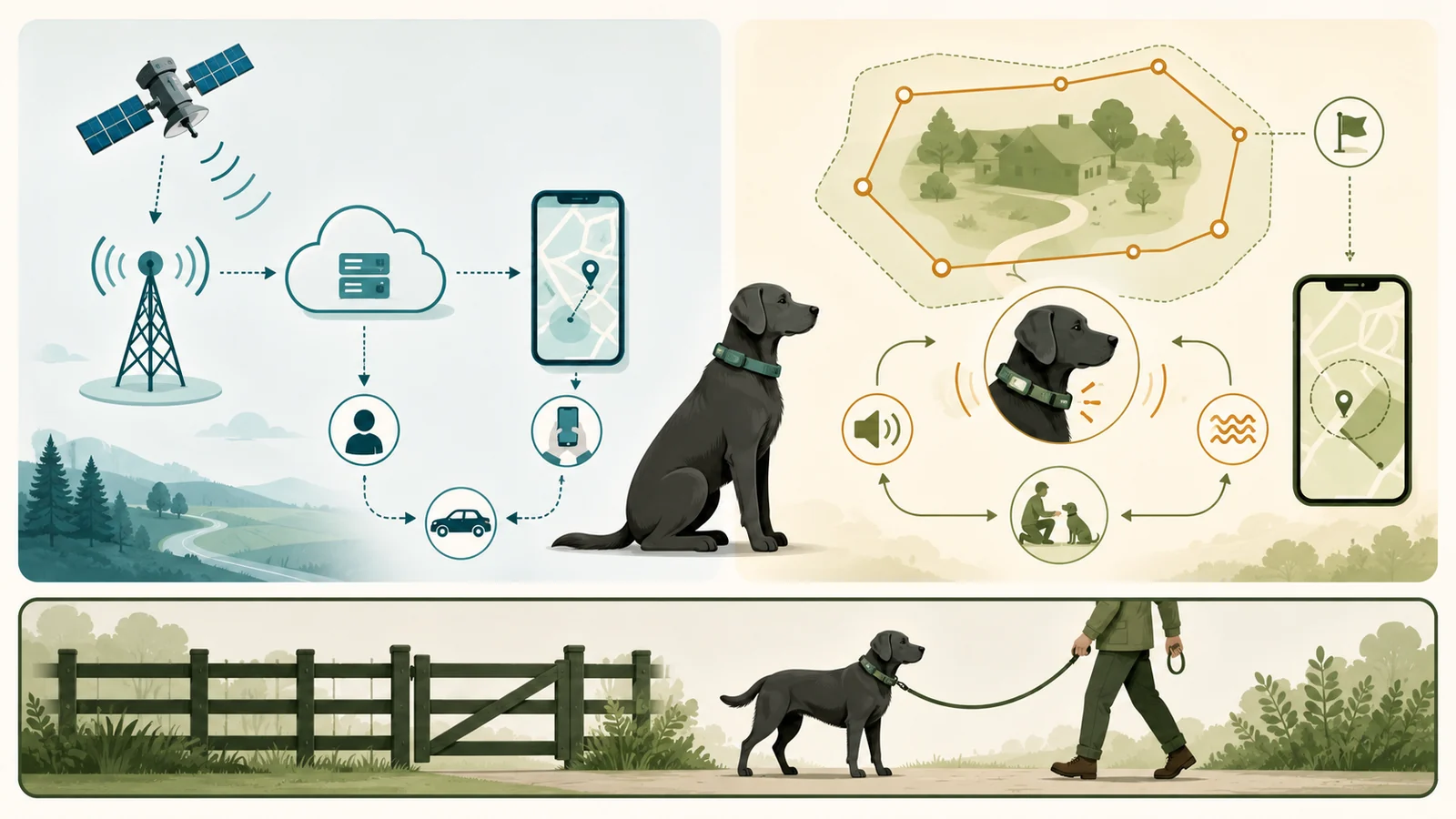
A GPS tracker reports location. A tracker geofence sends an alert. A GPS virtual fence can add on-collar boundary feedback. None of those functions is a physical barrier, and none works without its own fit, power, service, environment, account, and human-response dependencies.
Quick answer
A cellular GPS tracker reports location and alerts, while a GPS virtual-fence system stores a mapped boundary and can deliver configured on-collar feedback.
Neither is a physical barrier or a guarantee of containment, so a physical or supervised layer remains necessary where leaving an area could create serious danger.
On smaller screens, scroll the table horizontally.
| Buyer need | Documentation-led route | Critical qualification |
|---|---|---|
| Find a dog after it leaves | Cellular GPS tracker | Test the exact route, recovery mode, attachment, battery, phone alerts, and service. |
| Receive a phone alert at a mapped zone | Tracker geofence or Safe Zone | An alert is not containment and still requires a person to receive and act. |
| Deliver a cue or feedback at a mapped boundary | GPS virtual-fence system | Requires exact dog fit, property geometry, GPS state, training, feedback configuration, service, and supervision. |
| Locate and reduce boundary crossings | Layered plan | No automatic single-product answer; common dependencies and physical-containment need must be documented. |
| Guarantee the dog cannot leave | Neither electronic architecture | Use an appropriate physical or supervised containment route. |
| Use live app tracking without any network path | Neither retained architecture | GPS positioning and data delivery are separate dependencies. |
Start with the job – location, alert, boundary feedback, or consequential containment – before comparing product names or subscription prices.
Key facts
Table: Key facts. On smaller screens, scroll horizontally.
| Field | What this guide uses |
|---|---|
| Decision scope | Compare location reporting, boundary feedback, and physical or supervised containment for a United States dog context. |
| Evidence basis | Current authority, manufacturer, professional-association, and peer-reviewed documentation organized through a reproducible screen. |
| Cellular tracker job | Estimate and report location, expose recovery modes, and send mapped-zone alerts. |
| Virtual-fence job | Compare a collar's GPS position with a stored boundary and deliver configured on-collar feedback. |
| Not equivalent | Fi Safe Zones and Tractive Virtual Fences are phone-alert geofences; Halo Fences add on-collar boundary feedback. |
| Physical boundary | Neither architecture physically blocks a dog or guarantees containment. |
| Critical check | Verify exact dog fit, property geometry, training, GPS state, feedback configuration, service, and supervision before relying on a boundary system. |
| Access and date | Documentation only; no device, account, dog, route, property, alert, boundary, outage, or recovery case was tested. Checked July 28, 2026, for the United States. |
| Main limitation | No qualified specialist reviewed the material containment, behavior, training, or welfare conclusions. |
Treat location reporting, boundary feedback, and physical containment as separate decisions; no electronic architecture guarantees that a dog cannot leave.
Define the job before choosing the tool
The pet location technologies explainer separates positioning, data delivery, nearby finding, and identification. This comparison adds another distinction: a location report is not a boundary response, and a boundary response is not a physical barrier.
On smaller screens, scroll the table horizontally.
| Job | Cellular GPS tracker | GPS virtual fence | Other layer that may still be needed |
|---|---|---|---|
| Know where the dog may be | Primary job through GPS plus a delivery/app chain | Often included as an app feature | Visible ID, microchip, local search, current records |
| Receive an alert after crossing a mapped zone | Supported in retained Fi and Tractive examples | App alerts can also be available | Phone internet, notification settings, and human response |
| Deliver feedback at the boundary | Not supported by the retained Fi/Tractive tracker examples | Primary job in the retained Halo example | Training, fit, wear, property buffer, supervision |
| Physically prevent access | No | No | Fence, enclosure, leash, supervised area, indoor management |
| Recover after escape | Location, history, sharing, light/sound, and search tools may help | Location functions may help, but feedback is not recovery | ID tag, microchip, authorities, sightings, human search |
| Work when a common dependency fails | Depends on product state and alternative layers | Some stored-boundary behavior may remain while app visibility does not | Independent physical, identification, power, and human processes |
A product can cover more than one job, but the jobs should still be evaluated independently.
Why “virtual fence” can mean different things
Product language is not a stable category definition. Tractive calls its mapped Safe and Danger Zones “Virtual Fences,” but the retained documentation describes phone notifications when the tracker enters or leaves a zone. Fi uses “Safe Zone” for a mapped alert and connection context. Halo uses “Fence” for stored GPS coordinates that can trigger configured sound, vibration, or optional static feedback on the collar.
On smaller screens, scroll the table horizontally.
| Source term | Exact retained function | Do not rewrite as |
|---|---|---|
| Fi Safe Zone | Mapped safe context used for escape alerts and device/home-state behavior | Physical fence or on-collar correction |
| Tractive Virtual Fence | Mapped Safe/Danger Zone that triggers app notifications | Electronic containment |
| Halo Fence | Stored GPS boundary that can trigger configured on-collar feedback | Physical barrier or guaranteed containment |
| Tractive Power Saving Zone | Wi-Fi-based battery-saving context | Containment boundary |
| Lost Mode / LIVE Tracking | Higher-frequency recovery/location mode | Prevention at a property boundary |
| GPS location | Receiver-derived position estimate | Cellular delivery, phone alert, or exact current-position proof |
Read vendor labels as workflow descriptions: Fi Safe Zone and Tractive Virtual Fence document phone-alert geofences, while Halo Fence documents on-collar boundary feedback; none is a physical barrier.
Current architecture examples
The exact examples were selected to document architecture differences, not to create a market ranking. The dog GPS tracker buyer guide covers the broader tracker-selection criteria.
On smaller screens, scroll the table horizontally.
| Architecture | Exact example | Current documented role | Main unresolved evidence |
|---|---|---|---|
| Cellular GPS tracker | Fi Series 3+ | Live/Lost Mode location, escape alerts, Safe Zones, sharing and recovery tools | Independent route accuracy, alert latency, battery, attachment, and recovery outcome |
| Cellular GPS tracker | Tractive DOG 6 | Default/LIVE location, Virtual Fence alerts, history, Family Sharing, and monitoring features | Independent route accuracy, alert latency, battery, fit, and recovery outcome |
| GPS virtual fence | Halo Collar 5 | Stored GPS boundaries, configurable feedback, location/app features, training, and membership | Independent containment, false-feedback, welfare, fit, property, battery, and outage outcome |
Current offer structures differ by provider. Recheck Fi membership terms, Tractive plans, and Halo Pack Membership before treating any documented path as a current checkout total.
How a cellular GPS tracker works
A GPS tracker must do more than calculate a position. It must remain attached and powered, obtain a usable position, deliver data through a network and vendor service, reach a connected phone, pass operating-system and app controls, and be noticed by a person who can respond.
On smaller screens, scroll the table horizontally.
| Stage | What can go wrong | Evidence to retain |
|---|---|---|
| Dog and attachment | Tracker detaches, collar fit fails, dog is outside the product range | Exact model, attachment, fit, dog observation |
| GPS/GNSS estimate | Buildings, trees, reflections, terrain, sky view, receiver state | Timestamp, environment, mode, status, stale point |
| Cellular or delivery path | Coverage gap, handoff, service state, network outage | Route, provider state, connection source, repeated result |
| Vendor service and app | Cloud processing, app state, account, permissions, outage | App/firmware/phone versions, account state, vendor status |
| Phone notification | No internet, disabled permission, Focus/Do Not Disturb, background restrictions | Send/receipt times, phone state, OS/app settings |
| Human response | Alert missed, no search plan, stale point treated as current | Observer, action time, last-known timestamp, next verification |
A location mode can change update activity, but it cannot replace route, network, battery, notification, and human-response checks.
How a GPS virtual fence works
The representative Halo architecture adds a separate dependency chain: exact dog fit, contact hardware, daily wear controls, training, property geometry, warning area, buffers from structures and hazards, stored fence coordinates, GPS state, membership, battery, and supervision.
On smaller screens, scroll the table horizontally.
| Stage | Current documentation boundary | Fail-closed treatment |
|---|---|---|
| Dog range and fit | Current Halo range includes age, weight, and neck limits | Do not infer comfort or suitability from size alone |
| Contact hardware and wear | Blanks for no-static path; static tips have contact/leash/wear rules | Stop for poor fit, skin irritation, pain, or configuration mismatch |
| Training | Vendor expects acclimation, recall, feedback, and boundary practice | Do not rely before controlled learning and stop conditions |
| Property geometry | Minimum dimensions, warning area, and buffers | Do not squeeze the boundary into unsafe space |
| GPS state | Low/Medium reduces feedback; High enables full configured feedback | Do not treat reduced GPS state as full boundary operation |
| Stored fence and power | Fence must be loaded and collar powered | No stored boundary or dead battery means no expected local feedback |
| Membership and app | Service is required; remote visibility depends on connectivity | Do not assume pause/cancel or no network preserves all features |
| Supervision and recovery | No virtual fence completely prevents escape under the retained terms | Maintain physical/supervised and recovery layers where required |
Official Halo support records conflict on the buffer figure; the larger value is only a conservative screen, not an independent safety standard.
Where a physical or supervised layer still belongs
If the scenario requires the dog to be physically prevented from reaching a road, water, cliff, livestock, wildlife, another property, construction, chemicals, machinery, an open gate, or another consequential hazard, neither electronic architecture is sufficient by itself.
On smaller screens, scroll the table horizontally.
| Scenario | Core layer | Technology that may add information | Common mistake |
|---|---|---|---|
| Road-adjacent property | Appropriate physical or supervised containment | Tracker for location/recovery; optional alerting | Treating an app alert or collar feedback as a barrier |
| Off-leash hike where physical fencing is impossible | Leash/long line or supervision appropriate to the route | Cellular tracker as recovery layer | Calling coverage unlimited without route testing |
| Large rural property with broad buffers | Property-specific physical/supervised decision | Virtual-fence candidate plus tracker/ID/recovery layers | Ignoring wildlife, livestock, gates, roads, GPS shadows, or training |
| Dog with repeated escape behavior | Physical management and qualified behavior plan | Tracker for location and evidence | Escalating electronic feedback without resolving behavior and environment |
| No cellular service | Physical/supervised control | Preloaded local boundary may remain conditional | Assuming live app location and alerts still work |
| Power/service/account failure | Independent physical and identification layers | Backup tracker or human process only when truly independent | Counting two tools that share the same phone/account/network as redundancy |
When consequence avoidance matters, a physical or supervised layer is not interchangeable with an alert or feedback feature.
Failure domains compared
Both architectures can fail before, during, and after the moment the owner cares about. A virtual-fence system adds more boundary-specific dependencies; a cellular tracker relies more heavily on data delivery and human response. Neither completes the outcome alone.
On smaller screens, scroll the table horizontally.
| Failure domain | Cellular GPS tracker | GPS virtual fence |
|---|---|---|
| Attachment and fit | Device may detach or report the collar instead of the dog | Same risk plus contact-hardware, orientation, wear, and skin constraints |
| Positioning | Stale, blocked, reflected, or unavailable position | Same positioning limits can reduce or disable boundary feedback |
| Network/app | Data, alert, or live view delayed/unavailable | App visibility and remote changes can fail even if local feedback remains |
| Geometry | Zone too small can create false alerts | Boundary/warning area can overlap structures, roads, water, gates, or daily activity |
| Training/behavior | Usually not required for the location job | Central dependency for learned return behavior and feedback response |
| Power | Dead battery removes expected tracking | Dead battery removes both boundary and location functions |
| Service/account | Membership, billing, role, app, or credential failure | Same plus boundary service may be disabled by pause/cancel |
| Phone notification | Alert not delivered or noticed | Owner may miss app state even if the collar delivered feedback |
| Human plan | No route test or recovery workflow | Overreliance on feedback without supervision/recovery plan |
| Shared environment | Traffic, water, wildlife, weather, gates, neighbors | Same hazards; the boundary does not remove them |
Document common dependencies before calling two tools a layered system.
Dog fit, property geometry, and training
A tracker candidate needs a secure attachment, correct collar/harness compatibility, a dog within the model’s documented range, and a battery/charging routine. A virtual-fence candidate adds property and training requirements that should be treated as hard gates rather than setup polish.
On smaller screens, scroll the table horizontally.
| Question | Tracker treatment | Virtual-fence treatment |
|---|---|---|
| Does the device fit the dog? | Verify exact attachment, collar width, weight, and stability | Verify age, weight, neck, orientation, contact hardware, coat, wear, and skin |
| Does the environment fit? | Test actual routes, home, indoor/outdoor, and dead zones | Measure property, warning area, structures, roads/hazards, terrain, trees, metal, and GPS states |
| Is training required? | Recovery rehearsal and household workflow are useful | Vendor boundary training is a material operating dependency |
| Is feedback involved? | Retained Fi/Tractive tracker examples do not apply boundary feedback | Sound/vibration/optional static must match household decision and specialist boundary |
| Can the system be left unobserved? | No universal answer; battery/network/account/human response remain | No universal answer; terms do not guarantee containment |
| What stops the process? | Poor fit, failed route test, missing alerts, dead zones, service/account gaps | Poor fit, unsafe property, incomplete training, low GPS, skin/welfare concern, missing buffer, physical-barrier need |
Treat fit, property, and training as conditions that need real-world verification, not as outcomes that product documentation can establish. See the retained Tractive product record for an example of provider documentation.
Welfare and independent-evidence boundary
The independent evidence is informative but not interchangeable with a current product test. AVSAB’s current position recommends reward-based training and opposes aversive methods, including electronic collars. The retained remote e-collar studies address manually operated training collars – not the exact GPS virtual-fence architecture.
On smaller screens, scroll the table horizontally.
| Record | What it can support | What it cannot support |
|---|---|---|
| AVSAB position statements | Professional-association training and welfare position | Halo-specific efficacy, safety, or individualized dog advice |
| Starinsky et al. owner survey | Reported escape and biting histories across broad containment methods | Causation, GPS-specific performance, or a current product verdict |
| Polsky five case reports | A possible aggression/welfare concern requiring caution | Prevalence or universal effect |
| Cooper et al. 2014 | Remote e-collar welfare/efficacy evidence in its study context | Halo containment, current feedback settings, or property outcomes |
| China et al. 2020 | Remote e-collar training comparison in its study context | GPS-boundary containment or exact current product performance |
| Future controlled product test | Could document fit, state changes, failures, and dog/property observations | Universal category safety or long-term outcome |
| Qualified specialist review | Could review exact dog, training, welfare, property, and stop criteria | A guarantee that escape cannot occur |
The independent evidence requires caution but cannot create a product-specific virtual-fence verdict; dog-specific decisions need a real qualified review.
GPS, connectivity, alerts, and offline behavior
GPS positioning and data delivery are separate jobs. A tracker may have a valid or stale position but no current network path to the app. A virtual-fence collar may have a preloaded boundary and usable GPS state while live app location or notification delivery is unavailable.
On smaller screens, scroll the table horizontally.
| Condition | Cellular GPS tracker | GPS virtual fence |
|---|---|---|
| GPS unavailable or blocked | Location can be stale or absent | Configured boundary behavior can be reduced or disabled |
| Cellular/network unavailable | Remote location and alerts can be delayed or unavailable | Local preloaded feedback may remain under exact documented conditions; app visibility may not |
| Phone has no internet | Owner cannot receive current data/alerts | Owner may not see current app state even if collar behavior occurred |
| OS/app notifications disabled | Escape/geofence alert can be missed | App alert can be missed; on-collar feedback and phone notification are separate |
| Battery depleted | Tracking ends | Boundary and location functions end |
| Membership inactive | Remote capabilities can be disabled | Documented service and feedback functions can be disabled |
| Coverage map shows service | Potential network availability only | Does not prove GPS state, boundary geometry, or the app path |
| One test succeeds | One bounded observation | One bounded observation, not containment evidence |
A GPS estimate, a live app, a received alert, and a human response are separate steps; any one can be missing. The retained provider records do not replace a real route, yard, phone, dog, battery, and failure test.
Current cost examples and unknowns
Costs are offer-specific because the architectures and sales paths differ. The pet GPS tracker pricing guide explains the broader ownership-cost method.
On smaller screens, scroll the table horizontally.
| Exact path | Known subtotal | Qualification |
|---|---|---|
| Fi Series 3+ certified-preowned trial, continue | USD 201.00 | USD 12 initial shipping plus USD 189 annual conversion; tax, eligibility, and renewal remain. |
| Fi Series 3+ trial, cancel and timely U.S. return | USD 21.00 | USD 12 initial shipping plus USD 9 return-label fee; tax and return-condition exposure remain. |
| Tractive DOG 6 + Basic one-year | USD 187.00 | USD 79 hardware plus USD 108 annual plan; tax and renewal remain. |
| Tractive DOG 6 + Premium one-year | USD 199.00 | USD 79 hardware plus USD 120 annual plan; tax and renewal remain. |
| Tractive DOG 6 + Premium + one-year Care | USD 223.00 | Care is optional and separate from warranty/return terms. |
| Halo regular hardware + Bronze monthly first year | USD 718.88 | USD 599 hardware plus 12 × USD 9.99; tax, shipping, renewal remain. |
| Halo regular hardware + Silver monthly first year | USD 778.88 | Monthly path only; no annual-term reconciliation. |
| Halo regular hardware + Gold monthly first year | USD 838.88 | Monthly path only; no annual-term reconciliation. |
These are dated documentation examples, not checkout quotes. Recheck Fi, Tractive, and Halo terms, shipping, tax, and renewals before acting.
On smaller screens, scroll the table horizontally.
| Field | Why it matters | Required treatment |
|---|---|---|
| Promotion | Can change while the article is being prepared | Separate from regular baseline and recheck before CMS |
| Shipping and tax | Transaction- and destination-dependent | Unknown is not zero |
| Plan term and renewal | Monthly, annual, multi-year, trial, and conversion paths differ | Use the exact selected path |
| Care/replacement program | Optional or product-specific and not the same as warranty | Add only when selected |
| Accessory/physical layer | May be required by the scenario but not bundled | Record exact item and quantity |
| Failure/replacement timing | Not known from product documentation | Do not forecast without evidence |
| Layered-plan total | Depends on tracker, barrier, ID, supervision, and recovery choices | Do not auto-sum or call it ROI |
A lower known subtotal does not prove better fit, coverage, recovery, welfare, or safety.
Household access, privacy, and service state
Location and boundary systems can expose precise movement, home-zone, account, device, and household information. Access architecture also determines who can see, change, or revoke control.
On smaller screens, scroll the table horizontally.
| Example | Current retained evidence | What remains unverified |
|---|---|---|
| Fi Series 3+ | Owner/phone and recovery workflows are documented across current support records | Exact current roles, permissions, revocation, and notification ownership in the live app |
| Tractive DOG 6 | Family Sharing uses separate accounts and owner controls in retained documentation | Exact live permission breadth, notification behavior, and revocation result |
| Halo Collar 5 | Family use currently relies on shared credentials in retained public support | Separate roles, individual attribution/revocation, and current public MFA workflow |
| All architectures | Privacy and support records exist to varying degrees | Actual data flow, retention, complete deletion, support quality, and security-support duration |
Choose account architecture only after verifying live roles and revocation behavior in the exact current service; the Tractive and Halo records document published workflows, not account testing.
Decision scenarios
The table below shows how the jobs – not the product names – control the route. “Conditional” means only that documentation does not immediately eliminate the architecture.
On smaller screens, scroll the table horizontally.
| Scenario | Tracker route | Virtual-fence route | Overall treatment |
|---|---|---|---|
| Remote location after escape is the main job | Conditional after route, Lost/LIVE, notification, fit, battery, and service tests | Location feature may be secondary | Tracker-first documentation route |
| Phone alert when leaving a mapped home area is enough | Conditional alert-geofence route | Not required for the stated job | Do not describe the alert as containment |
| On-collar boundary feedback is required | Retained tracker examples do not perform this job | Conditional after dog, property, training, GPS, service, access, and specialist gates | Virtual-fence-specific route |
| Location and boundary feedback are both required | Tracker may cover recovery/location | Virtual fence may cover local boundary feedback | Layered plan; identify common dependencies |
| Physical prevention is required | Optional recovery layer only | Not sufficient as the prevention layer | Physical or supervised containment required |
| Live app location must work with no network | Does not meet requirement | Local boundary may remain; live app still does not meet requirement | Neither architecture satisfies the live-app requirement |
| Separate revocable caregiver accounts required | Verify exact tracker architecture; Tractive has documented separate accounts | Current Halo retained workflow uses shared credentials | Product-specific account gate |
| Dog has material fear, aggression, pain, skin, neurologic, or health concern | Tracker fit still needs review | Specialist review before feedback-boundary reliance | Do not escalate electronic feedback from a generic guide |
The scenarios screen documented architectures only; decisions involving feedback, behavior, property hazards, or welfare stay conditional until their exact gates are met. See the retained Tractive account and Halo account records for the limited access examples used here.
How this comparison works – and what it cannot prove
This page applies Pet Signal Guide’s research method to current authority, manufacturer, professional-association, and peer-reviewed records. A deterministic model screens the declared primary job, physical-barrier need, dog and property constraints, connectivity expectations, controlled-test state, household access, specialist review, budget, and material unknowns.
The scenarios screen documented architectures only; decisions involving feedback, behavior, property hazards, or welfare stay conditional until their exact gates are met. See the retained Tractive account and Halo account records for the limited access examples used here.
Pet Signal Guide did not buy, borrow, attach, charge, activate, route-test, boundary-test, submerge, damage, return, or replace any device in this comparison. No account, subscription, sharing, cancellation, deletion, notification, outage, recovery, containment, dog-training, skin, stress, escape, injury, or specialist-review observation occurred. The target specialist gate remains unmet.
Sources
- GPS overviewGPS.gov / U.S. National Coordination Office for PNT · Checked 2026-07-28. GPS provides positioning signals to a receiver; it does not itself transmit a pet's position to an owner.
- GPS AccuracyGPS.gov / U.S. National Coordination Office for PNT · Checked 2026-07-28. User accuracy depends on receiver, geometry, blockage, reflections, atmosphere, and environment; signal-in-space commitments are not consumer-device accuracy.
- Humane Dog Training position statementsAmerican Veterinary Society of Animal Behavior · Checked 2026-07-28. Current professional-association position supports reward-based methods and opposes aversives; not a product-specific review.
- Escape rates and biting histories by containment methodStarinsky, Lord, and Herron / JAVMA / PubMed · Checked 2026-07-28. Cross-sectional owner survey of physical fence, electronic fence, and tether methods; not GPS-specific and not a randomized trial.
- Can Aggression in Dogs Be Elicited Through Electronic Pet Containment Systems?Polsky / Journal of Applied Animal Welfare Science · Checked 2026-07-28. Five legal-case reports involving electronic containment; hypothesis-generating, not prevalence or Halo-specific evidence.
- Welfare consequences and efficacy of remote electronic training collarsCooper et al. / PLOS ONE · Checked 2026-07-28. Remote manually operated e-collar training study; not GPS containment and not an exact product test.
- Efficacy of dog training with and without remote electronic collarsChina, Mills, and Cooper / Frontiers in Veterinary Science · Checked 2026-07-28. Remote e-collar recall/obedience study; not an exact GPS virtual-fence study.
- Fi Membership BillingFi Help Center · Checked 2026-07-28. Current United States commitment, activation, renewal, and membership records; exact checkout remains transaction-specific.
- Fi Free Trial ProgramFi Help Center · Checked 2026-07-28. Current certified-pre-owned trial path, shipping fee, conversion, cancellation, and return terms; not a simple owned-hardware price.
- Enable Lost ModeFi Help Center · Checked 2026-07-28. Current Series 3+ lost-mode and live-tracking workflow; no field execution occurred.
- Test Lost ModeFi Help Center · Checked 2026-07-28. Vendor recommends a controlled lost-mode test; no route or dog test was performed here.
- Search PartyFi Help Center · Checked 2026-07-28. Documents sharing a live location link during a lost-pet workflow; no recovery outcome observed.
- Set Up and Edit a Safe ZoneFi Help Center · Checked 2026-07-28. Safe Zone is a mapped alert context; minimum geometry accounts for GPS margin. It is not an on-collar containment boundary.
- Fix false escape alertsFi Help Center · Checked 2026-07-28. Documents false alert causes and troubleshooting; does not establish frequency or reliability.
- Resolve Without an Owner notificationsFi Help Center · Checked 2026-07-28. Documents Bluetooth/app context for alerts; not containment behavior.
- Fi Device LTE-M CoverageFi Help Center · Checked 2026-07-28. Current network dependency and recommendation to test GPS/LTE-M; coverage maps are not route-level proof.
- Fi Device Battery LifeFi Help Center · Checked 2026-07-28. Conditional vendor battery guidance; no independent runtime measurement.
- Charge Your Fi TrackerFi Help Center · Checked 2026-07-28. Series 3+ charging path and estimated charge time; no charging observation.
- Find Your Fi Series Collar SizeFi Help Center · Checked 2026-07-28. Vendor collar fit guidance; no physical dog fit observation.
- Locate a Lost DeviceFi Help Center · Checked 2026-07-28. Connection-source troubleshooting and latest-location guidance; no independent accuracy measurement.
- Fi Warranty PoliciesFi Help Center · Checked 2026-07-28. Current warranty architecture; no claim or replacement transaction.
- Tractive DOG 6 product surfaceTractive · Checked 2026-07-28. Current product identity, USD hardware display, plan displays, fit, connectivity, battery, and vendor feature claims; no product access.
- Tractive subscription plansTractive · Checked 2026-07-28. Current Basic/Premium term displays and Tractive Care; exact checkout and renewal remain volatile.
- Default vs LIVE TrackingTractive Help Center · Checked 2026-07-28. Documents update cadence differences; not end-to-end latency measurement.
- How to use Tractive Virtual FencesTractive Help Center · Checked 2026-07-28. Documents phone alerts when entering/leaving mapped zones; it does not document on-collar boundary feedback.
- Avoid false Virtual Fence notificationsTractive Help Center · Checked 2026-07-28. Documents indoor GPS interference and false-alert mitigation; prevalence unknown.
- Virtual Fence notifications not receivedTractive Help Center · Checked 2026-07-28. Documents phone internet, OS notification, and app settings dependencies.
- Tracker not updating or No GPSTractive Help Center · Checked 2026-07-28. Current outdoor test and support-escalation workflow; no execution occurred.
- Tractive tracker battery lifeTractive Help Center · Checked 2026-07-28. Model- and use-dependent vendor estimates; no independent measurement.
- Get started with Tractive DOG 6Tractive Help Center · Checked 2026-07-28. Exact model setup and subscription workflow; no account execution.
- Tractive Family SharingTractive Help Center · Checked 2026-07-28. Documents separate-account family sharing and owner controls; no permission execution.
- How often Tractive detects a new locationTractive Help Center · Checked 2026-07-28. Vendor update-frequency guidance by mode; not measured latency.
- Halo Collar 5 product and storefrontHalo / Protect Animals with Satellites LLC · Checked 2026-07-28. Current exact product, hardware display, fit and vendor performance claims; no independent product test.
- Virtual GPS FencingHalo / Protect Animals with Satellites LLC · Checked 2026-07-28. Documents on-collar boundary storage, feedback, GPS and offline claims; no independent containment result.
- Unified Terms and ConditionsHalo / Protect Animals with Satellites LLC · Checked 2026-07-28. Terms state containment is not guaranteed and define owner training/supervision responsibility; not legal advice.
- Plans and SubscriptionsHalo / Protect Animals with Satellites LLC · Checked 2026-07-28. Current plan display and term framing; annual displays require reconciliation.
- Minimum and maximum Halo Fence sizeHalo Support · Checked 2026-07-28. Minimum geometry, warning area, and 15-foot structure buffer; conflicts with a 20-foot record.
- Fence count and location limitsHalo Support · Checked 2026-07-28. Plan limits and 20-foot structure/hazard guidance; conflict retained.
- Low, Medium, and High GPS statesHalo Support · Checked 2026-07-28. Documents feedback changes by GPS state; no accuracy or false-feedback measurement.
- How GPS and connectivity workHalo Support · Checked 2026-07-28. Documents local boundary versus app/connectivity roles; no outage test.
- Remote operation without cellular or Wi-FiHalo Support · Checked 2026-07-28. Documents preloaded-fence behavior and app limitations; vendor safety language is not independently verified.
- Use the Halo training systemHalo Support · Checked 2026-07-28. Vendor training sequence; no dog training or welfare observation.
- Select and install contact tipsHalo Support · Checked 2026-07-28. Documents blanks/static tips, leash restriction, wear and skin checks.
- Halo Collar fitting and orientationHalo Support · Checked 2026-07-28. Vendor fit and orientation guidance; no real fit observation.
- Family login sharingHalo Support · Checked 2026-07-28. Current public workflow uses shared credentials.
- Privacy NoticeHalo / Protect Animals with Satellites LLC · Checked 2026-07-28. Current public privacy notice; implementation and deletion were not tested.