
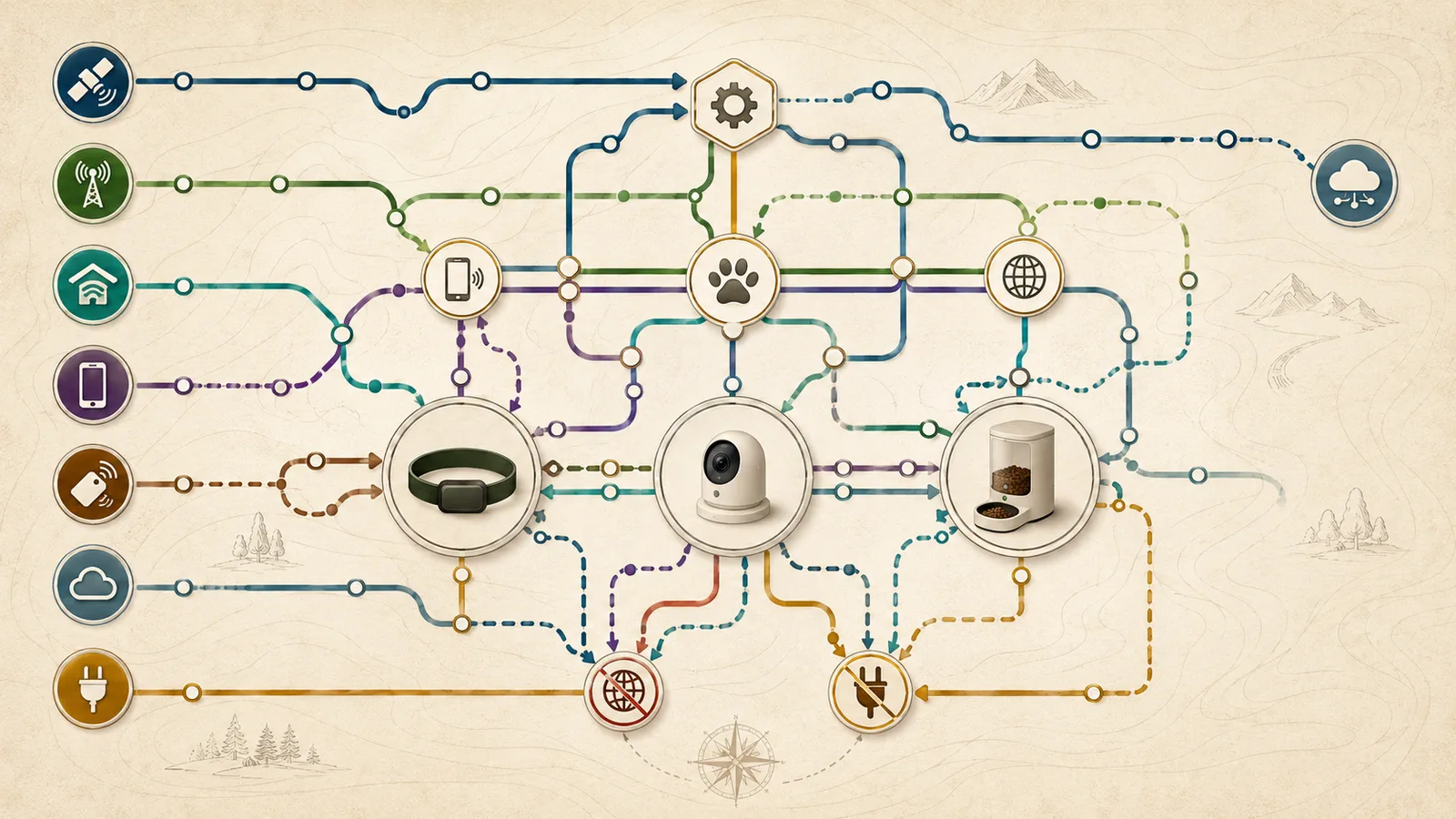
Quick answer
A protocol name does not tell you whether a pet device can do the job you need. GNSS can estimate a position, but a tracker still needs a delivery path to put that position in an app. Wi-Fi may carry video to the internet, help a tracker recognize home, or exist only during setup. Bluetooth may pair a device, support nearby finding, or identify a nearby phone.
Compare each product across four separate questions: what is required to set it up, what keeps its core job running, what remote features depend on a vendor service, and what remains when internet or household power is unavailable.
Key facts
Swipe horizontally to see all columns.
| Question | Evidence-safe answer |
|---|---|
| Does GPS send a location to my phone? | No. Satellite navigation estimates position; another communication and service path is needed for remote delivery. |
| Does Wi-Fi mean the same thing on every device? | No. It can be internet backhaul, a setup requirement, a trusted-location detector, or part of a charging base. |
| Can Bluetooth replace cellular service? | Only for the exact nearby or setup job the product documents. It is not a universal wide-area delivery path. |
| Does battery backup preserve every feature? | Not necessarily. A feeder may continue a stored schedule while app control and notifications stop. |
| Does a coverage map prove the product will work at home or on a route? | No. Coverage maps are screening tools, and actual conditions can differ. |
| What does a documentation fit mean? | Only that the declared dependencies match the documented architecture. It is not a performance or purchase verdict. |
Start with the required job, then name every account, network, power, plan, and local-fallback dependency that can break it.
Start with the job, not the radio label
The same device can use several communication layers for different tasks. A tracker may use Bluetooth near a phone, Wi-Fi near a trusted location, satellite navigation outdoors, and cellular service for remote delivery. A camera may use Bluetooth only during setup, Wi-Fi for home-network access, and a cloud service for remote viewing. A feeder may store a schedule locally while using Wi-Fi for app control and notifications.
Write down the job before comparing products: initial setup, routine core operation, remote viewing or location, alerts, nearby finding, internet-outage continuity, or power-outage continuity. A useful matrix shows which dependencies are required for each job and leaves unverified behavior visible. For the underlying distinction among positioning, identification, nearby finding, and remote delivery, see how pet location technologies work.
What each connectivity layer actually does
GPS.gov describes satellite navigation as a one-way positioning system. The FCC describes mobile-coverage maps as modeled representations whose results can differ from real experience. Those two facts explain why “has GPS” and “has coverage” are not complete answers for a remote pet-tracking job.
Swipe horizontally to see all columns.
| Layer | Typical bounded job | What it does not establish |
|---|---|---|
| GNSS or GPS | Estimate position from satellite signals | Remote delivery, indoor performance, alert latency, or route reliability |
| Cellular | Carry data between a mobile device and a remote service | Coverage at every location, speed, handoff quality, or future carrier support |
| Wi-Fi | Home internet backhaul, setup, trusted-location detection, or base connectivity | That every Wi-Fi product uses the network for the same job |
| Bluetooth | Pairing, nearby communication, presence detection, updates, or nearby finding | Wide-area remote telemetry |
| Ultra Wideband | Supported nearby precision-finding workflow | Crowd-network density or wide-area delivery |
| NFC | Tap-to-identify or contact workflow | Continuous tracking |
| Dedicated RFID tag | Authorize the exact feeder’s access-control workflow | Compatibility with implanted microchips or arbitrary tags |
| Cloud and app | Remote control, alerts, history, account sharing, and synchronization | Offline continuity or service permanence |
| Local schedule or storage | A bounded function without normal remote cloud access | That alerts, history sync, or remote control continue |
A radio or protocol label identifies one possible layer; it does not establish the complete setup, remote-delivery, fallback, or service architecture.
Setup dependencies differ before routine use even begins
Setup can require more than the radio used during ordinary operation. Several products use phone Bluetooth or location permission to discover the device, then move it onto Wi-Fi or activate a cellular service. The exact app, account, band, plan, power source, and accessory must be checked for the exact model.
The rows below use exact setup records for the Fi Base, Tractive Wi-Fi role, AirTag, Petcube, Furbo, Wyze, PETLIBRO, and PetSafe.
Swipe horizontally to see all columns.
| Exact product | Documented setup dependencies | Important distinction |
|---|---|---|
| Fi Series 3+ | Compatible phone, Fi account/app, Bluetooth, active membership, powered Base, compatible home Wi-Fi | The Base and the collar have different connectivity roles. |
| Tractive DOG 6 | Compatible phone/app, account, Bluetooth, active subscription, usable cellular service | Home Wi-Fi is detected for a Power Saving Zone rather than used as normal tracker internet backhaul. |
| AirTag (2nd generation) | Compatible Apple device, Apple Account, Bluetooth, Find My and location services | The tag is an item-finding accessory, not a cellular tracker. |
| Petcube Cam 360 | Phone/app, account, continuous power, 2.4 GHz Wi-Fi, home internet, cloud acceptance | Remote viewing depends on the connected camera ecosystem. |
| Furbo3 | Phone/app, account, Bluetooth during setup, continuous power, 2.4 GHz Wi-Fi, home internet | A compatible external power adapter is part of the setup boundary. |
| Wyze Cam Pan v3 | Phone/app, account, Bluetooth/location permissions, continuous power, 2.4 GHz Wi-Fi, home internet | Local microSD is optional and separate from remote cloud access. |
| PETLIBRO PLAF301 | Phone/app, account, power, compatible Wi-Fi, dedicated collar tag | The reader works with its dedicated tag, not an implanted microchip. |
| PetSafe Smart Feed Gen 2 | Phone/app, account, power, 2.4 GHz Wi-Fi, home internet | Stored schedules are distinct from remote app and notification paths. |
Setup is a separate job: confirm the exact phone, app, account, permission, network, power, plan, and accessory path before judging routine operation.
Cellular trackers combine position, nearby links, and remote delivery
Fi documents LTE-M service for Series products and recommends checking coverage before purchase. Tractive documents a Power Saving Zone that detects trusted Wi-Fi, suspends normal position reporting in the zone, and wakes after movement outside it. Apple documents AirTag’s Find My paths without a dedicated cellular modem. None of these architectures turns a coverage map or protocol list into proof of a particular route.
Swipe horizontally to see all columns.
| Product | Position and remote path | Nearby or home path | Degraded-state boundary |
|---|---|---|---|
| Fi Series 3+ | GNSS plus AT&T LTE-M, active membership, app and vendor service | Bluetooth to a phone or Base; Base uses home Wi-Fi | Home-internet loss changes Base behavior; collar LTE-M may be a separate path, but handoff was not tested. |
| Tractive DOG 6 | GNSS plus cellular service, active subscription, app and vendor service | Bluetooth for Radar and selected updates; Wi-Fi detection for Power Saving Zones | In a Power Saving Zone, network reporting is reduced; nearby Bluetooth recovery and wake timing remain conditional. |
| AirTag (2nd generation) | No dedicated cellular modem; Find My network can relay crowd-assisted detections | Bluetooth and supported Ultra Wideband for nearby finding; NFC for Lost Mode contact | Crowd density and relay timing are uncontrolled, and anti-tracking behavior is part of the platform. |
Separate position, nearby finding, and remote delivery; each tracker architecture depends on a different combination of radio, account, service, phone, and coverage conditions.
AirTag adds item-finding layers, not dedicated pet telemetry
Apple’s 2026 AirTag specification lists Bluetooth, second-generation Ultra Wideband, NFC, a speaker, and a replaceable coin cell. Apple’s Find My documentation describes nearby finding, crowd-network detections, Lost Mode, and unwanted-tracking protections.
That architecture can support a nearby or crowd-assisted item-finding job. It does not establish continuous cellular location, route-level update intervals, pet-safe attachment, or a guaranteed encounter with a compatible third-party device. Keep those unknowns separate from the protocol list.
Connected cameras share a cloud path but not the same fallback
Petcube Cam 360, Furbo3, and Wyze Cam Pan v3 all require continuous power and a home-network path for ordinary remote viewing. Their local-storage, alert-plan, privacy, and setup details differ. Our pet camera buyer guide covers the broader privacy, cost, alert, and household-fit questions.
Swipe horizontally to see all columns.
| Product | Remote path | Local or nearby path | Internet/power boundary |
|---|---|---|---|
| Petcube Cam 360 | 2.4 GHz Wi-Fi, home internet, Petcube account/app and cloud service | No local microSD path was established for this exact product | Remote live view and cloud alerts cannot be assumed without home internet; no battery fallback was established. |
| Furbo3 | 2.4 GHz Wi-Fi, home internet, Furbo account/app and cloud service | No local microSD path was established for Furbo3 | No remote or local continuity was established during home-internet loss; continuous external power is required. |
| Wyze Cam Pan v3 | 2.4 GHz Wi-Fi, home internet, Wyze account/app and cloud service | Compatible microSD can provide local recording | Local recording may remain a bounded fallback while remote viewing and notifications are unavailable; no internal battery was established. |
All three cameras need power and home-network backhaul for remote use; only the exact documented local-storage path can support a narrower fallback.
Smart feeders separate stored schedules from remote controls
A connected feeder can retain a stored schedule while losing the app, notifications, history, or firmware access. The exact PETLIBRO architecture and PetSafe offline record support narrower product-specific statements, not the universal claim that “the feeder works offline,” because power, stored programming, tag access, mechanism condition, and food state still matter.
Swipe horizontally to see all columns.
| Product | Core local path | Remote path | Documented outage boundary |
|---|---|---|---|
| PETLIBRO One RFID Smart Feeder, PLAF301 | Stored schedule plus the exact dedicated RFID collar tag; mains power or emergency D batteries | Compatible Wi-Fi, Petlibro app/account and vendor service | Support documents power and reconnect troubleshooting; battery runtime, notification continuity, and history synchronization were not tested. |
| PetSafe Smart Feed Gen 2 | Previously stored schedule while the feeder has power; wall adapter or four D batteries | 2.4 GHz Wi-Fi, My PetSafe account/app and internet | Official support says scheduled meals continue while offline, but notifications stop; battery runtime was not measured. |
Name the exact stored function that continues during an outage; app control, notifications, history, and battery runtime remain separate questions.
Remote access and alerts add account, service, and phone dependencies
Remote features normally require a powered device, the device-to-network path, a working vendor service, an authenticated account, a compatible phone, and a data connection on that phone. A membership or paid plan may also control specific tracking, history, or alert functions.
Separate the core device job from the notification job. A feeder may dispense a stored meal while its notification is unavailable. A camera may remain powered while remote video is unavailable. A tracker may retain a last known position while a new cellular update is delayed. The reviewed documentation does not establish exact delays or synchronization behavior.
When home internet fails, ask which other path still exists
Home-internet loss affects devices differently. The Fi Base has a distinct home path, a cellular tracker can retain a separate wide-area path, Wyze local recording can preserve a narrower camera function, and PetSafe documents stored meals continuing while notifications stop.
Swipe horizontally to see all columns.
| Exact product | Home-internet outage | Household-power outage | Evidence boundary |
|---|---|---|---|
| Fi Series 3+ | Conditional: LTE-M is separate from home internet, but Base handoff was not tested | Conditional: collar battery remains, but Base power and charging are lost | No controlled outage or handoff test |
| Tractive DOG 6 | Conditional: tracker cellular path is separate, but phone/app delivery still needs data | Conditional: tracker battery is independent; charging and phone conditions vary | No controlled outage test |
| AirTag (2nd generation) | Conditional: nearby finding may work; remote crowd updates need networked ecosystem participants | Conditional: tag battery remains; phone and ecosystem availability still matter | No crowd-density or relay test |
| Petcube Cam 360 | Remote operation not established without home internet | No battery fallback established | No outage or buffering test |
| Furbo3 | Remote or local continuity not established without home internet | No battery fallback established | No outage or buffering test |
| Wyze Cam Pan v3 | Conditional local microSD path; remote access and notifications unavailable | No internal battery fallback established | No exact outage-sequence test |
| PETLIBRO PLAF301 | Conditional stored-schedule and tag path; app/status behavior remains limited | Conditional emergency D-battery path; Wi-Fi and runtime limitations remain | No feeding, battery, or synchronization test |
| PetSafe Smart Feed Gen 2 | Documented scheduled meals continue with power; notifications stop | Conditional four-D-battery path | No battery-runtime or meal-delivery measurement |
Evaluate outages one job at a time: a surviving battery, cellular radio, local card, or stored schedule does not preserve every remote feature.
Power backup preserves only the functions the exact device stores locally
A battery-powered tracker or tag does not lose power merely because the house does. A plug-in camera normally does unless the household adds a separate verified power solution. PETLIBRO and PetSafe document D-cell fallback paths, but those paths do not imply that Wi-Fi, alerts, history, or every app feature remains available.
Before relying on backup power, verify the exact battery type, whether the batteries are installed, which jobs continue, which jobs stop, how the device reports a low battery, and how often the household will test the fallback. This research did not measure runtime.
Avoid these protocol-label shortcuts
- “GPS tracker”: does not by itself identify the delivery network, subscription, app, or update interval.
- “Wi-Fi device”: does not show whether Wi-Fi carries internet traffic, detects a trusted zone, or is used only during setup.
- “Bluetooth tracker”: does not show whether the device is nearby-only, crowd-assisted, or paired to a dedicated receiver.
- “RFID feeder”: does not mean the feeder reads an implanted microchip; the exact tag and reader must match.
- “Works offline”: must name the precise function, power state, stored schedule or local medium, and the remote features that stop.
- “Battery backup”: does not establish runtime or preservation of Wi-Fi, cloud, alerts, history, and remote control.
Use the matrix as a fail-closed scenario screen
The retained method takes yes, no, or unknown dependency inputs. It applies the documented boundaries in sources such as the FCC coverage-map guidance, Apple Find My workflow, and PetSafe offline record. It stops a selected job when a required dependency is unavailable, keeps a job conditional when a requirement or degraded state is unknown, and never creates a score or winner.
Swipe horizontally to see all columns.
| Scenario | Questions to answer | Evidence-safe disposition |
|---|---|---|
| Remote escape location | Is there usable cellular coverage, an active service, a compatible phone, account access, and cloud acceptance? | A cellular tracker can be a documentation fit only after every required dependency is confirmed. |
| Nearby item finding | Is the compatible phone present with Bluetooth and, where applicable, supported Ultra Wideband? | AirTag or tracker Bluetooth can support a bounded nearby job, not guaranteed wide-area recovery. |
| Remote camera monitoring | Will the camera have continuous power, compatible Wi-Fi, home internet, account/app access, and acceptable cloud terms? | Stop if any hard dependency is unavailable; choose a local-storage path only when the exact product documents it. |
| Feeding during internet loss | Was the schedule saved, is the feeder powered, and is the exact tag or mechanism ready? | Only the documented local schedule may continue; app control and notifications can stop. |
| Operation during power loss | Does the exact model have installed backup batteries, and which jobs survive on them? | Conditional until battery type, stored behavior, runtime, and test routine are confirmed. |
A scenario remains conditional whenever a required dependency or degraded state is unknown; the matrix does not create a score, winner, or purchase recommendation.
What to verify before purchase or reliance
Use the sitewide pet tech privacy and security checklist for account, access, data, update, deletion, and support questions that sit outside this connectivity matrix.
- Record the exact product, model, app, firmware, plan, market, and check date.
- Write the job: setup, core operation, remote access, alerts, nearby/local use, internet outage, or power outage.
- List every phone, account, permission, radio band, carrier, router, power, battery, tag, local medium, plan, and cloud dependency.
- Confirm which functions are stored locally and which require the vendor service.
- Separate “last known,” “nearby,” “crowd-assisted,” and “live remote” location states.
- Test the exact product after delivery in a controlled, low-consequence setting before relying on it.
- Save current support and escalation routes, and repeat the check after app, firmware, carrier, router, account, or plan changes.
What we could not verify
We did not establish route-level cellular performance, indoor satellite reception, Bluetooth or Ultra Wideband range, Find My crowd density, remote alert latency, cloud uptime, account-security implementation, outage buffering, reconnection time, history synchronization, battery runtime, feeder dispensing reliability, RFID interference, pet acceptance, attachment safety, or recovery outcomes.
We also did not verify current app screens, firmware behavior, account workflows, or paid-service behavior by logging into any platform. Treat every model, carrier, plan, app, support, and outage field as refresh-sensitive.
Method
This page follows Pet Signal Guide’s documented research method. We reviewed current authority and manufacturer documentation for eight exact products, normalized seven buyer jobs and fifteen dependency fields, and retained every dependency as yes, no, or unknown. The deterministic method returns documentation fit, conditional, stop, or not applicable. It has no score, rank, winner, price, or recommendation output.
The retained validation set includes twenty regression cases, twenty invalid-input rejections, five hundred deterministic property cases, and thirty-two frozen outputs across four declared-dependency scenarios. These tests validate the logic and reproducibility of the matrix; they are not product tests.
Sources
All sources were rechecked on July 29, 2026. Manufacturer records support only the exact product or platform statement described above.
- GPS.gov: GPS - GNSS/GPS position-estimation architecture and one-way satellite signals; not a pet-device delivery or reliability claim.
- GPS.gov: GPS Accuracy - Civil GPS accuracy factors and limitations; not evidence for an exact consumer device indoors or along a route.
- Federal Communications Commission: What’s on the National Broadband Map - Modeled mobile coverage scope and real-world variation; not proof of tracker coverage at a location.
- NIST: Profile of the IoT Core Baseline for Consumer IoT Products - Consumer-IoT product-system outcomes; not certification of any sampled device.
- NIST: Network Layer Onboarding and Lifecycle Management - Network onboarding and lifecycle considerations; not product implementation evidence.
- Fi: Choose the Best Fi Product for You - Current Fi product-family distinctions; exact Series 3+ scope only where explicitly stated.
- Fi: Fi Device LTE-M Coverage - Series LTE-M network, membership requirement, and map limitation; no route test.
- Fi: Fi Base Functionality and Setup - Base, Wi-Fi, Bluetooth, charging, and setup roles; exact current UI may change.
- Fi: Enable Lost Mode - Series 3+ Lost Mode and membership dependency; vendor workflow, not measured latency.
- Fi: Manage Your Fi Base - Base Wi-Fi status, offline notice, location, and unlink controls; no outage test.
- Tractive: Tractive GPS Tracker for Dogs - Current DOG 6 identity and product architecture; geography-sensitive surface.
- Tractive: Do I Need Cellular Coverage? - Cellular coverage architecture; not a route-level reliability test.
- Tractive: Do I Need Wi-Fi for My Tracker? - Clarifies that Wi-Fi is detected for Power Saving Zones rather than used as normal internet backhaul.
- Tractive: Power Saving Zone: How-To Guide - Wi-Fi-detection sleep behavior and wake-up conditions; no independent battery or reconnection measurement.
- Tractive: Why Does My Tracker Need Bluetooth? - Bluetooth roles including Radar and updates; no range measurement.
- Tractive: What to Do if You Can’t Locate Your Tracker in a Power Saving Zone - Power Saving Zone degraded-state and Bluetooth recovery workflow; vendor timing remains untested.
- Apple: AirTag (2nd generation) - Tech Specs - 2026 AirTag connectivity: Bluetooth, second-generation UWB, NFC, and replaceable battery.
- Apple: Set Up Your AirTag Using Your iPhone or iPad - Apple Account, device, Bluetooth, location-services, and Find My setup requirements.
- Apple: Find My Security - Find My network cryptographic and privacy architecture; not crowd-density or recovery-rate evidence.
- Apple: Find Your Keys, Backpack, and More With AirTag - Item-finding workflows, nearby finding, network detection, Lost Mode, and NFC contact path.
- Apple: What to Do if You Get an Alert That an AirTag Is With You - Unwanted-tracking alerts, sounds, identification, and disable workflow; material behavior for item tags.
- Petcube: Petcube Cam 360 - Cam 360 identity, power, 2.4 GHz Wi-Fi, app/cloud and privacy-mode claims; no performance test.
- Petcube: Switching Cam to Setup Mode - Account/app/Bluetooth/Wi-Fi setup path; exact app screens may change.
- Petcube: Camera Offline? - Offline troubleshooting and network/power dependencies; no outage observation.
- Petcube: Petcube Care - Cloud history and alert-plan architecture; price and plan fields are volatile.
- Furbo: Furbo 360° Dog Camera - Furbo3 product identity, continuous-power and connected-camera architecture.
- Furbo: Setup Your First Furbo Device - App/account/power and 2.4 GHz Wi-Fi setup requirements; localized official record.
- Furbo: Can’t Find My Wi-Fi Network in the App - Furbo3 model identification and Wi-Fi troubleshooting; localized official record.
- Furbo: Quick Start Guide to Furbo 360° Dog Camera - Power adapter, placement, status-light and no-Wi-Fi state; no outage observation.
- Wyze: Wyze Cam Pan v3 - Pan v3 identity, 2.4 GHz Wi-Fi, continuous power, cloud and microSD architecture.
- Wyze: Wyze Cam Pan v3 Setup Guide - App/account/2.4 GHz Wi-Fi setup path; current app screens and permissions may vary.
- Wyze: Wyze Cam Pan v3 Connectivity Requirements - 2.4 GHz, cloud/local-storage, power and vendor security fields; no performance test.
- Wyze: Is 24/7 Local Recording Going Away? - Compatible microSD local recording without subscription; power and card dependencies remain.
- PETLIBRO: One RFID Smart Feeder - PLAF301, dedicated RFID tag, 2.4/5 GHz Wi-Fi, adapter and three-D-battery backup architecture.
- PETLIBRO: How Do I Set Up the One RFID Pet Feeder? - App/account/Bluetooth/Wi-Fi onboarding; exact current app path may change.
- PETLIBRO: Why Does My One RFID Feeder Frequently Go Offline? - Power, signal, reset and reconnect troubleshooting; does not itself prove scheduled meals continue offline.
- PETLIBRO: One RFID Feeder Power and Battery Troubleshooting - Adapter and alkaline D-battery diagnostic path; no runtime measurement.
- PetSafe: Smart Feed Automatic Pet Feeder, 2nd Generation - PFD00-16828 connected timed-feeder architecture and power options.
- PetSafe: Set Up the Smart Feed Automatic Feeder - App/account/Bluetooth/Wi-Fi setup workflow; current UI may change.
- PetSafe: My PetSafe Smart Feed Automatic Feeder Is Offline - Stored schedules continue while app notifications and remote controls are unavailable; no controlled test.
- PetSafe: Troubleshoot Smart Feed That Will Not Power On - Wall adapter and four-D-battery backup architecture; no runtime measurement.